
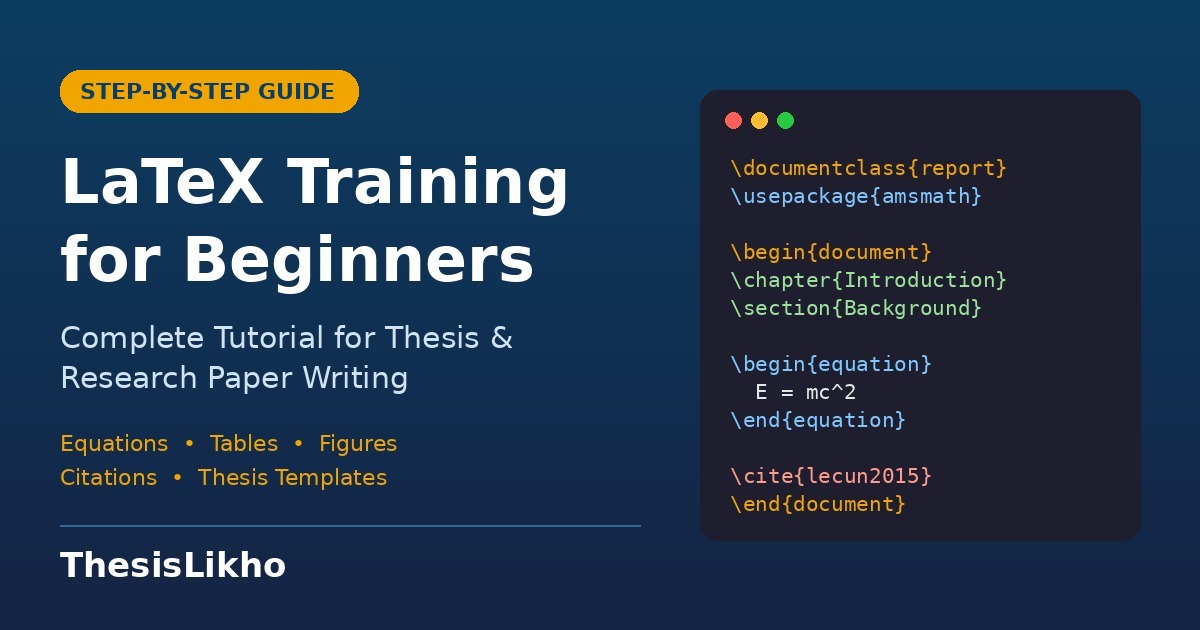
If you are a PhD scholar, an M.Tech student or a researcher preparing a journal paper, you have almost certainly heard someone say, "Just write it in LaTeX." For many students in India, that advice arrives with no explanation, no training and a deadline that is already close. The result is panic, copied templates that refuse to compile and hours lost on a missing bracket.
This guide is designed to fix that. It is a practical LaTeX training tutorial that takes you from zero to writing a properly structured thesis chapter, complete with equations, tables, figures and citations. You do not need any programming background. By the end, you will understand not just what to type, but why LaTeX works the way it does, which is the real secret to stop fighting it.
- What Is LaTeX and Why Researchers Use It
- Setting Up LaTeX: Overleaf vs Local Installation
- Your First LaTeX Document
- Structuring a Thesis: Chapters, Sections and Lists
- Text Formatting Essentials
- Writing Mathematical Equations
- Creating Tables
- Inserting Figures and Images
- Citations and Bibliography with BibTeX
- Cross-Referencing
- Organising a Full Thesis Project
- Common LaTeX Errors and How to Fix Them
- FAQs
1. What Is LaTeX and Why Researchers Use It
LaTeX (pronounced "lay-tek" or "lah-tek") is a document preparation system. Unlike Microsoft Word, where you format text visually as you type, in LaTeX you write plain text along with simple commands that describe the structure of your document. LaTeX then compiles that text into a beautifully typeset PDF.
Think of it this way: in Word, you tell the software how something should look ("make this bold, 16 pt, centred"). In LaTeX, you tell it what something is ("this is a chapter title"), and LaTeX decides how it should look based on professional typesetting rules. This separation of content and design is exactly why LaTeX documents look so consistent.
Why LaTeX is preferred for theses and papers
- Superior mathematics: Complex equations look clean and publication-ready, something Word's equation editor struggles with.
- Automatic numbering: Chapters, sections, figures, tables and equations number themselves and update automatically.
- Effortless references: Citations and bibliographies are generated from a database, in any style (IEEE, APA, Harvard, Springer).
- Stability for long documents: A 250-page thesis with 80 figures will not crash or shift layouts.
- Journal templates: IEEE, Elsevier, Springer and ACM all provide official LaTeX templates.
- Free and open source: No licence fees, and it works on every operating system.
2. Setting Up LaTeX: Overleaf vs Local Installation
Before writing anything, you need an environment that can compile LaTeX. You have two main choices.
| Feature | Overleaf (Online) | Local (TeX Live / MiKTeX) |
|---|---|---|
| Installation | None, works in browser | Large download (several GB) |
| Internet needed | Yes | No |
| Collaboration with supervisor | Built-in, real-time | Via Git or file sharing |
| Best for | Beginners, co-authored papers | Heavy theses, offline work |
| Editor | Built-in | TeXstudio, VS Code + LaTeX Workshop |
For a local setup, Windows users usually install MiKTeX with TeXstudio, Linux users install TeX Live, and macOS users install MacTeX.
3. Your First LaTeX Document
Every LaTeX file has two parts: the preamble (settings and packages) and the body (your actual content). Type the following into a file named main.tex and compile it.
\documentclass[12pt,a4paper]{article}

% ---------- Preamble ----------
\usepackage[utf8]{inputenc}
\usepackage[margin=1in]{geometry}
\usepackage{amsmath}
\usepackage{graphicx}

\title{My First LaTeX Document}
\author{Your Name \\ Department of Computer Science}
\date{\today}

% ---------- Body ----------
\begin{document}

\maketitle

\section{Introduction}
Hello, world! This is my first document written in LaTeX.

\end{document}
Understanding each line
\documentclass{article}sets the document type. Common options arearticle(papers),reportandbook(theses, because they support chapters).\usepackage{...}loads extra features, much like installing plugins.%starts a comment. Anything after it on that line is ignored.\begin{document}and\end{document}wrap all visible content.\maketitleprints the title, author and date you defined.
Notice the pattern: LaTeX commands start with a backslash \, required arguments go in curly braces {}, and optional arguments go in square brackets []. Once you understand this grammar, every new command becomes easy to read.
4. Structuring a Thesis: Chapters, Sections and Lists
For a thesis, switch to the report or book class, which allows chapters. LaTeX provides a clear hierarchy:
\chapter{Literature Review}
\section{Deep Learning Approaches}
\subsection{Convolutional Neural Networks}
\subsubsection{Transfer Learning}
\paragraph{Fine-tuning strategies.} Text continues here...
Each level is numbered automatically (Chapter 2, Section 2.1, Subsection 2.1.1). If you add a new section in the middle, every number after it updates itself. To create an unnumbered heading, such as "Acknowledgements", add a star: \chapter*{Acknowledgements}.
Generating a table of contents
Simply add these lines after your title page, and LaTeX builds them from your headings:
\tableofcontents
\listoffigures
\listoftablesLists
Use itemize for bullet points and enumerate for numbered lists:
\begin{itemize}
  \item Data collection
  \item Pre-processing
\end{itemize}

\begin{enumerate}
  \item Define the research problem
  \item Review existing literature
  \item Propose the methodology
\end{enumerate}
5. Text Formatting Essentials
Although LaTeX focuses on structure, you still need basic formatting. Here are the commands you will use every day:
| Purpose | Command |
|---|---|
| Bold | \textbf{text} |
| Italic | \textit{text} |
| Emphasis (preferred) | \emph{text} |
| Underline | \underline{text} |
| Monospace / code | \texttt{text} |
| New paragraph | Leave a blank line |
| Line break | \\ |
| New page | \newpage |
| Footnote | \footnote{text} |
Important: pressing Enter once does not create a new paragraph in LaTeX. You need a completely blank line. Beginners often wonder why their lines merge together, and this is usually the reason.
Special characters
Some characters have special meanings in LaTeX: # $ % & _ { } ~ ^ \. To print them literally, escape them with a backslash, for example \% for a percent sign or \& for an ampersand. Forgetting to escape % in "95% accuracy" is one of the most common reasons text silently disappears.
Line spacing for university requirements
Most Indian universities require 1.5 line spacing for theses. Use the setspace package:
\usepackage{setspace}
\onehalfspacing   % or \doublespacing
6. Writing Mathematical Equations
This is where LaTeX truly shines. Mathematics is written in math mode, which comes in two forms.
Inline equations
Wrap the expression in single dollar signs to place it within a sentence:
The loss function $L = -\sum y_i \log(\hat{y}_i)$ is minimised during training.Numbered display equations
For standalone, numbered equations, use the equation environment:
\begin{equation}
  \text{Accuracy} = \frac{TP + TN}{TP + TN + FP + FN}
  \label{eq:accuracy}
\end{equation}
Multi-line aligned equations
With the amsmath package, the align environment lines up equations at the & symbol:
\begin{align}
  f(x) &= (x + 1)^2 \\
       &= x^2 + 2x + 1
\end{align}
Quick reference for common symbols
| Symbol | Code | Symbol | Code |
|---|---|---|---|
| Fraction | \frac{a}{b} | Square root | \sqrt{x} |
| Superscript | x^{2} | Subscript | x_{i} |
| Summation | \sum_{i=1}^{n} | Integral | \int_{a}^{b} |
| Greek letters | \alpha, \beta, \theta | Not equal / ≤ | \neq, \leq |
| Matrix | \begin{bmatrix}...\end{bmatrix} | Arrow | \rightarrow |
7. Creating Tables
Tables in LaTeX look intimidating at first, but they follow a simple logic. The table environment handles placement and caption, while tabular builds the grid itself. For professional, journal-quality tables, load the booktabs package.
\usepackage{booktabs}  % in the preamble

\begin{table}[htbp]
  \centering
  \caption{Comparison of classification models}
  \label{tab:results}
  \begin{tabular}{lccc}
    \toprule
    \textbf{Model} & \textbf{Accuracy (\%)} & \textbf{Precision} & \textbf{Recall} \\
    \midrule
    SVM            & 87.4 & 0.86 & 0.85 \\
    Random Forest  & 89.1 & 0.88 & 0.89 \\
    CNN (Proposed) & 94.6 & 0.94 & 0.95 \\
    \bottomrule
  \end{tabular}
\end{table}
How it works
{lccc}defines four columns: one left-aligned (l) and three centred (c). Userfor right alignment.&separates columns, and\\ends a row.[htbp]tells LaTeX where it may place the table: here, top, bottom or a separate page.\toprule,\midruleand\bottomrulecreate clean horizontal lines without vertical clutter.
8. Inserting Figures and Images
Figures use the graphicx package. Upload your image (PNG, JPG or, ideally, PDF for vector graphics) into the same project folder or a subfolder named figures.
\begin{figure}[htbp]
  \centering
  \includegraphics[width=0.8\textwidth]{figures/architecture.png}
  \caption{Proposed system architecture}
  \label{fig:architecture}
\end{figure}
The option width=0.8\textwidth scales the image to 80% of the text width, which keeps it proportional regardless of the original resolution.
Why does my figure move?
Figures and tables are floats, meaning LaTeX moves them to the best position to avoid awkward page breaks. This is intentional and professional. Instead of writing "the figure below", always refer to figures by number using cross-references (explained shortly). If you absolutely must fix a position, load the float package and use [H], but use it sparingly.
Side-by-side figures
\usepackage{subcaption}  % in the preamble

\begin{figure}[htbp]
  \centering
  \begin{subfigure}{0.45\textwidth}
    \includegraphics[width=\linewidth]{figures/before.png}
    \caption{Before training}
  \end{subfigure}
  \hfill
  \begin{subfigure}{0.45\textwidth}
    \includegraphics[width=\linewidth]{figures/after.png}
    \caption{After training}
  \end{subfigure}
  \caption{Feature distribution comparison}
  \label{fig:comparison}
\end{figure}
9. Citations and Bibliography with BibTeX
Managing references is the single biggest reason researchers switch to LaTeX. You store all your references in a separate .bib file, cite them by a key, and LaTeX formats the bibliography automatically, including only the sources you actually cited.
Step 1: Create references.bib
@article{lecun2015deep,
  author  = {LeCun, Yann and Bengio, Yoshua and Hinton, Geoffrey},
  title   = {Deep learning},
  journal = {Nature},
  volume  = {521},
  number  = {7553},
  pages   = {436--444},
  year    = {2015}
}
You rarely need to type these by hand. Google Scholar, IEEE Xplore, ScienceDirect and reference managers like Zotero and Mendeley all export BibTeX entries with one click.
Step 2: Cite in your text
Deep learning has transformed computer vision \cite{lecun2015deep}.Step 3: Print the bibliography
\bibliographystyle{IEEEtran}   % or plain, apalike, unsrt
\bibliography{references}
For more flexible styles such as APA 7th edition, many researchers prefer the modern biblatex package with the Biber backend:
\usepackage[style=apa,backend=biber]{biblatex}
\addbibresource{references.bib}
% ... in the body:
\parencite{lecun2015deep}
\printbibliography10. Cross-Referencing
Cross-referencing is what makes long documents manageable. Attach a \label{} to any chapter, section, figure, table or equation, then point to it with \ref{}.
As shown in Figure~\ref{fig:architecture}, the model has three layers.
Results are summarised in Table~\ref{tab:results}.
Accuracy is calculated using Equation~\eqref{eq:accuracy}.
The tilde ~ creates a non-breaking space so "Figure" and its number never split across lines. Adding the hyperref package (\usepackage{hyperref}, loaded near the end of the preamble) turns every reference and citation into a clickable link in the PDF, which examiners appreciate.
A good habit is to use prefixes in labels: fig: for figures, tab: for tables, eq: for equations, and ch: or sec: for chapters and sections. This keeps hundreds of labels organised.
11. Organising a Full Thesis Project
Writing a 200-page thesis in a single file is a recipe for chaos. Instead, split each chapter into its own file and combine them in a master document.
Recommended folder structure
thesis/
├── main.tex
├── references.bib
├── chapters/
│   ├── 01_introduction.tex
│   ├── 02_literature_review.tex
│   ├── 03_methodology.tex
│   ├── 04_results.tex
│   └── 05_conclusion.tex
├── frontmatter/
│   ├── titlepage.tex
│   ├── certificate.tex
│   └── abstract.tex
└── figures/
The master file (main.tex)
\documentclass[12pt,a4paper,oneside]{report}
\usepackage[margin=1in,left=1.5in]{geometry}
\usepackage{amsmath,graphicx,booktabs,setspace}
\usepackage{hyperref}
\onehalfspacing

\begin{document}

\pagenumbering{roman}
\include{frontmatter/titlepage}
\include{frontmatter/certificate}
\include{frontmatter/abstract}
\tableofcontents
\listoffigures
\listoftables

\pagenumbering{arabic}
\include{chapters/01_introduction}
\include{chapters/02_literature_review}
\include{chapters/03_methodology}
\include{chapters/04_results}
\include{chapters/05_conclusion}

\bibliographystyle{IEEEtran}
\bibliography{references}

\end{document}
Notice the wider left margin (1.5 inches) for binding, which many universities require, and the switch from Roman page numbers (i, ii, iii) in the front matter to Arabic numbers (1, 2, 3) from Chapter 1 onwards. Always check your own university's thesis formatting guidelines, as margins, fonts and title page layouts vary between institutions.
\includeonly{chapters/03_methodology} in the preamble while working on one chapter. LaTeX compiles only that chapter, but keeps all page and reference numbers correct, which makes compiling much faster.12. Common LaTeX Errors and How to Fix Them
Every LaTeX user meets errors. The skill lies in reading them calmly. LaTeX reports the line number where it got confused, which is usually at or just after the real mistake.
| Error Message | Likely Cause | Fix |
|---|---|---|
| Undefined control sequence | Typo in a command or missing package | Check spelling; load the required package |
| Missing $ inserted | Math symbol (like _ or ^) used outside math mode | Wrap in $...$ or escape as \_ |
| Missing } inserted / Runaway argument | Unclosed curly brace | Match every { with a } |
| File not found | Wrong image path or file name | Check folder, spelling and case sensitivity |
| Citation undefined / ?? in output | Bibliography not compiled or wrong key | Recompile; verify key in .bib |
| Overfull \hbox | Text or image wider than the margin | A warning, not an error; reduce width or rephrase |
| Misplaced alignment tab character & | Unescaped & in normal text | Write \& |
A debugging strategy that always works
- Read the first error in the log, not the last. Later errors are often side effects.
- Go to the reported line and check braces, dollar signs and special characters.
- If still stuck, comment out sections with
%until the error disappears. The last section you removed contains the problem. - Compile frequently. Writing 20 pages before your first compile makes errors much harder to locate.
Your 7-Day LaTeX Training Plan
Learning LaTeX is far easier when broken into small daily goals. Here is a realistic plan for a busy research scholar:
| Day | Focus | Practice Task |
|---|---|---|
| 1 | Setup and first document | Create an Overleaf account and compile a title page |
| 2 | Structure and formatting | Convert one Word chapter into LaTeX sections |
| 3 | Mathematics | Type 10 equations from your research area |
| 4 | Tables | Recreate your results table with booktabs |
| 5 | Figures | Add three figures with captions and labels |
| 6 | Citations | Export 15 references from Google Scholar and cite them |
| 7 | Full project | Build a multi-file thesis skeleton with front matter |
Short on Time? Let ThesisLikho Handle Your LaTeX Formatting
From converting Word manuscripts into university-compliant LaTeX theses to formatting papers in IEEE, Springer and Elsevier templates, ThesisLikho's experts help PhD scholars across India meet submission standards with confidence.
Talk to a LaTeX ExpertFrequently Asked Questions
How long does it take to learn LaTeX?
Most students can write a basic structured document within a day and become comfortable with equations, tables, figures and citations in about one to two weeks of regular practice. Advanced customisation takes longer, but it is rarely needed for a standard thesis.
Is LaTeX mandatory for a PhD thesis in India?
Not usually. Most Indian universities accept theses prepared in either Word or LaTeX, provided the formatting guidelines are followed. However, LaTeX is strongly preferred in Computer Science, Mathematics, Physics and Engineering, and many international journals expect LaTeX submissions.
Can I convert my Word thesis to LaTeX?
Yes. Tools like Pandoc and Overleaf's Word-to-LaTeX import can handle basic text conversion, but equations, tables and references usually need manual cleaning. For a full thesis, professional conversion often saves considerable time.
Is Overleaf free?
Overleaf offers a free plan that is sufficient for most individual papers and smaller theses. Paid plans add features such as longer compile times, full version history and more collaborators. Many universities also provide institutional Overleaf access, so check with your library.
Which bibliography style should I use?
Follow your university or target journal's guidelines. IEEE style is common in Computer Science and Engineering, while APA is common in social sciences and management. With BibTeX or biblatex, changing styles takes only a single line of code.
Conclusion
LaTeX can look intimidating at first, but its logic is simple: describe the structure, and let the system handle the design. Once you master the essentials covered in this tutorial (document structure, formatting, equations, tables, figures, citations and cross-referencing), you will produce cleaner, more professional research documents in less time than you ever spent wrestling with Word.
Start small. Compile often. Build your thesis chapter by chapter. And whenever deadlines get tight or university formatting rules become confusing, remember that expert support from ThesisLikho is just a message away.