
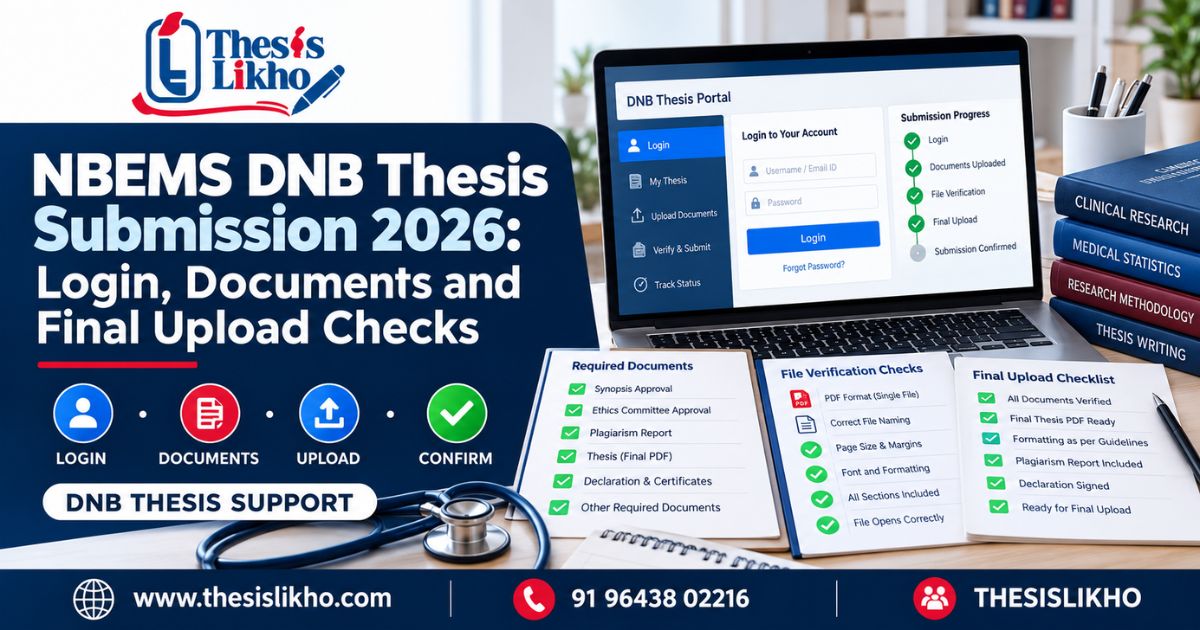
A DNB trainee preparing for NBEMS DNB thesis submission has several things to settle at once: which NBEMS login to use, whether the thesis matches the approved research, what documents the portal requires, and how to prove the final upload was completed. Searching for “NBEMS thesis” can bring up protocol instructions, old deadlines, and general writing guides, making the final submission route harder to identify.
The safest approach is to check the current official notice before opening the submission form. Then prepare the final thesis and supporting files, verify every candidate detail, and save the acknowledgement after submitting. This guide follows that order. It also explains what to do when a detail is wrong, or the portal does not confirm an upload. Requirements can vary by programme and session, so the applicable NBEMS instructions always take priority over this article.
Quick answer: To complete NBEMS DNB thesis submission, enter through the official NBEMS thesis facility, check the notice applicable to your session, and prepare the reviewed final thesis and required documents. Verify candidate details and the uploaded file before confirming. Save the acknowledgement and monitor the later status; submitting a file does not itself mean the thesis has been accepted.
Table of contents
- What is NBEMS DNB thesis submission?
- Why do DNB thesis submission problems occur?
- How to complete the submission step by step
- What to check in each thesis stage
- Documents and information to prepare
- Common mistakes and how to correct them
- Final submission checklist
- When is expert review useful?
- Frequently asked questions
- Conclusion
Quick highlights
Main problemFinding the correct NBEMS login and submitting the right DNB thesis file
Recommended approachCheck the current official notice, prepare files, verify details, then submitKeep readyRegistration details, final thesis, approved research information, and documents required for your caseMajor risksWrong portal, old deadline, mismatched title, missing document, or wrong fileFinal actionSave submission proof and check subsequent official status
What is NBEMS DNB thesis submission?
NBEMS DNB thesis submission is the prescribed process through which an eligible DNB trainee submits completed thesis work under the applicable National Board of Examinations in Medical Sciences requirements. NBEMS login is the access step for the relevant online service. “NBEMS thesis” is a broader term that may refer to the research protocol, final thesis, assessment, or a later modified-thesis process.
Those stages must not be confused. The protocol describes the study you planned. The final thesis presents the research completed, including methods, findings, analysis, and conclusions. NBEMS provides an online thesis submission route and publishes thesis guidance; follow the instructions that apply to your training and examination session.
Why do DNB thesis submission problems occur?
- The candidate uses an old link. A bookmarked page or third-party article may point to a route or notice that no longer fits the current session.
- Protocol and final thesis instructions get mixed up. This can lead to preparation for the wrong task or upload field.
- The final thesis differs from approved information. A title, objective, method, or institutional detail may have changed without the candidate checking the necessary approvals.
- The PDF is an earlier draft. The latest corrections may exist in a Word file but not in the exported upload.
- Supporting documents are incomplete. A required declaration, approval, or readable scan may be missing.
- The candidate closes the portal too early. Uploading a file, confirming submission, and saving an acknowledgement are separate checks.
How to complete the submission step by step
1. Read the notice for your session
Start with the official NBEMS Digital Thesis Processing Portal and current NBEMS notices. Confirm which instructions and deadline apply to your DNB programme and examination session. Risk: using another batch’s deadline can leave insufficient time or lead to an incorrect assumption about eligibility.
2. Select the correct NBEMS login route
Use the official NBEMS site’s “Thesis Login for Online Thesis Submission” route. Read the heading and on-screen instructions to confirm that you are entering the final thesis process, rather than a protocol or other trainee service. Risk: a similar-looking login does not establish that you have reached the correct submission stage.
3. Match your identity and thesis details
Compare the portal information with your registration records, institution details, guide information, and approved thesis title. Resolve any significant mismatch through the applicable official or institutional procedure before final confirmation. Risk: an incorrect entry can create an avoidable administrative query.
4. Finish the academic review
Ask your guide to review the actual version intended for upload. Check that the research question, objectives, methods, participant numbers, analysis, results, and conclusions agree throughout the document. Verify that any changes from the approved plan have been handled appropriately. Risk: a technically successful upload cannot correct inconsistencies within the thesis.
5. Prepare and reopen the final files
Export the final thesis in the format required by the live instructions. Reopen it after export. Inspect its title page, certificates, contents, tables, figures, references, and final pages; confirm that no comments or placeholder text remain. Prepare only the supporting documents requested for your submission. Risk: the wrong file version or an unreadable scan may delay processing.
6. Enter information and upload carefully
Complete each portal field using the verified records. Match each requested document category to the correct file. Review filenames, any available preview, and upload confirmation before proceeding. Risk: selecting a file on your computer does not necessarily mean its upload has finished.
7. Confirm, save proof, and follow up
Complete the portal’s final submission action, then save the acknowledgement or reference number and any confirmation available. Record the submitted filename and date. Return through the official facility to check later status or instructions. Risk: an initial upload or acknowledgement should not be described as thesis acceptance.
What to check in each thesis stage
Topic and approved protocolThe final title and research objectives agree with the approved records, or changes have been addressed.Literature reviewSources support the claims made; the review leads to the actual research question.MethodologyStudy design, setting, selection criteria, sample, measures, and analysis describe what was done.Data analysisCounts, denominators, table totals, and statistical statements agree with the underlying work.Results and discussionFindings are reported accurately; interpretations stay within what the data support.Citations and referencesIn-text citations match complete reference entries.FormattingSections, page order, figures, annexures, and required statements follow the applicable guidance.Final submissionThe guide-reviewed version is the exact file selected for upload.
Use the official Guidelines for Thesis Writing & Submission and the current portal instructions for specific requirements.
Documents and information to prepare
Create a folder for this NBEMS DNB thesis submission with:
- Registration and candidate details for the form and identity checks.
- Approved title, guide, and institution information to compare with the submission fields.
- Final reviewed thesis file in the format required by the current portal.
- Applicable approvals, declarations, or certificates listed for your submission type.
- Submission proof folder for the acknowledgement and later official communications.
Keep your approved protocol and relevant institutional or ethics records available when checking research consistency. Upload only what the current instructions request. NBEMS maintains thesis guidelines and documents for different situations, including modified thesis work.
Common mistakes and how to correct them
Opening an unofficial NBEMS login result
Outdated or incorrect instructionsNavigate from the official NBEMS website.Copying an old submission deadlineRushed or missed submissionVerify the notice for your session.Using protocol instructions for the final thesisWrong preparation or documentCheck the portal stage before uploading.Entering a different thesis titleRecord mismatchCompare against approved information and seek guidance on changes.Uploading an earlier PDFMissing correctionsReopen and inspect the exported final version.Leaving citations or tables inconsistentAcademic review concernsCross-check references, figures, and results.Omitting a required supporting fileIncomplete submissionWork through the current document list.Failing to save confirmationDifficulty verifying submissionSave the acknowledgement immediately.
Final submission checklist
- I checked the latest official notice for my DNB session.
- My guide reviewed the final version.
- Content, research data, results, and conclusions are consistent.
- In-text citations and reference entries match.
- Formatting and supporting documents follow applicable guidance.
- Candidate, guide, institution, and thesis details are correct.
- The uploaded file is the intended final file and opens correctly.
- I completed final confirmation and saved the acknowledgement.
When is expert review useful?
A separate review may help when guide corrections remain unresolved, tables and text disagree, references need checking, or the final file has formatting issues. Ask for a defined review of the trainee’s own work and discuss substantive changes with the guide. An external reviewer cannot grant institutional approval, submit in the candidate’s place, or guarantee an NBEMS assessment outcome.
For related questions, link readers naturally to ThesisLikho’s existing NBEMS portal and protocol guide and NBEMS pre-upload readiness guide. Add a relevant service page, supporting guide, and blog category link after verifying their live URLs in the CMS.
Frequently asked questions
Where do I find the NBEMS login for DNB thesis submission?
Open the official NBEMS website and select its Thesis Login for Online Thesis Submission service. Then read the current instructions displayed for the relevant thesis stage. Avoid entering credentials through a third-party login result. Before starting, have your registration details and final files ready so that you can compare the portal fields with your approved records.
Is an NBEMS thesis protocol the same as the final DNB thesis?
No. A protocol sets out the proposed question, objectives, and methods; the final NBEMS thesis reports the study conducted and its results. Both can be connected to the same research project, but their documents and submission steps should not be assumed to be interchangeable. Read the instructions for the stage you are completing.
What if my NBEMS login works but my thesis file will not upload?
Check the live portal’s permitted file type and size, then reopen the file locally to confirm that it is readable. Review any on-screen error without repeatedly submitting different drafts. If the problem persists, retain the error details and use the official support route shown by NBEMS. Leave sufficient time before the applicable deadline to resolve a technical issue.
Which documents are required for NBEMS DNB thesis submission?
The final thesis and accompanying items must follow the current requirements for your particular submission. Check the official notice, portal fields, and relevant declarations rather than relying on an old article’s fixed list. Prepare candidate and thesis details, applicable approvals, and readable files in advance. Your guide or institution can help you identify records that need to match.
How do I know whether my DNB thesis was submitted?
Complete the portal’s final confirmation step and retain the acknowledgement or reference information it provides. Keep a record of the submitted file and date, then check later messages or status through official channels. Seeing a selected filename before final confirmation is not enough evidence that the entire submission process was completed.
Does NBEMS DNB thesis submission guarantee acceptance?
No. NBEMS DNB thesis submission and subsequent assessment are different stages. An acknowledgement helps establish that a submission action was completed, while any acceptance decision or request for modification follows the applicable NBEMS process. Continue monitoring official communications and respond to instructions for your case; no academic support provider can guarantee an outcome.
Conclusion
Complete NBEMS DNB thesis submission in a deliberate order: verify the current notice, enter through the official NBEMS login, review the final NBEMS thesis, upload the required files, and save proof. Check the subsequent status rather than assuming that an uploaded file has been accepted.
If you need a review of your thesis structure, references, analysis presentation, or final file, send ThesisLikho an enquiry describing the exact issue and your submission stage. Confirm all deadlines and requirements with NBEMS before acting.