
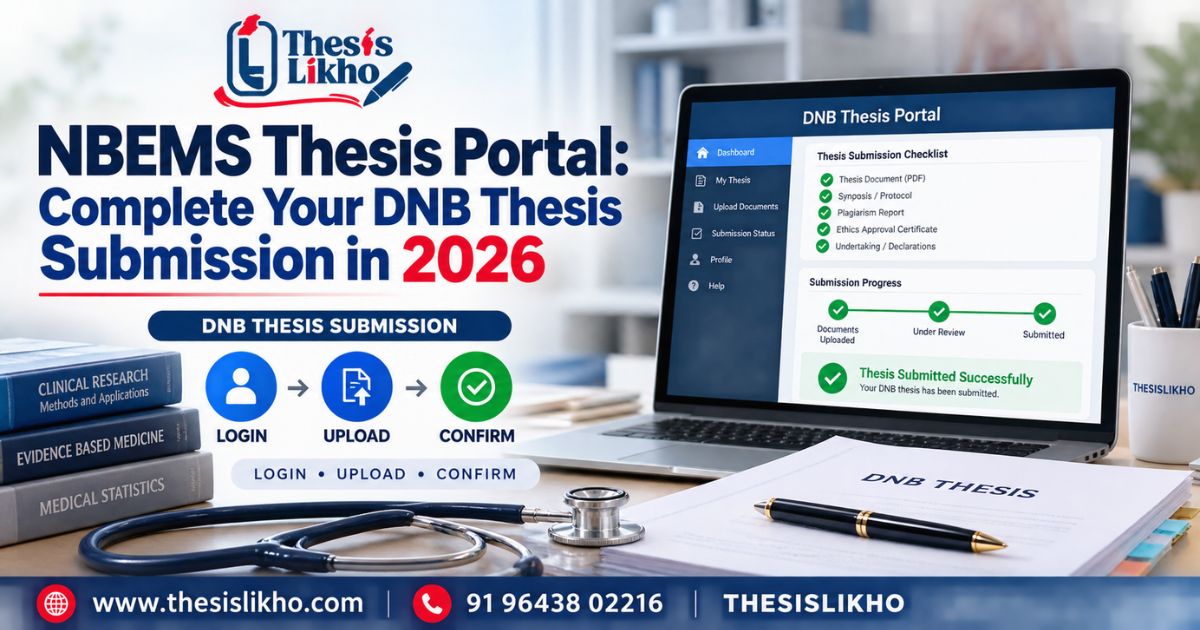
You have completed your research and prepared a thesis PDF, but the last step still raises practical questions. Which NBEMS thesis portal link handles the final thesis? Is it the same login used for the research protocol? Which version of the file should you upload, and how do you know the submission went through? These questions matter because a completed document and a confirmed online submission are separate things. A wrong file, inconsistent trainee details or missing acknowledgement can create an avoidable problem even when the research itself is ready. This guide takes DNB and DrNB trainees through the checks before login, the actions to take during submission, and the proof to retain afterwards. Always compare each step with the current instructions for your own training session.
Quick answer: Access the final-thesis login through the official NBEMS trainee services page. Check the latest applicable notice, prepare your approved thesis and requested records, then follow the portal’s live upload and submission instructions. Save its acknowledgement and check the displayed status. The protocol portal is a separate facility, and an acknowledgement does not itself mean thesis acceptance.
Table of contents
- What is the NBEMS thesis portal?
- Why do portal and submission problems occur?
- Step-by-step DNB thesis submission process
- Stage-wise guidance before the final upload
- Documents and information to keep ready
- Common mistakes and submission risks
- Final submission checklist
- When is an expert review useful?
- Frequently asked questions
- Conclusion
Main problemFinding the correct final-thesis route and confirming submissionRecommended approachEnter through NBEMS, check current notices, upload the approved file and preserve proofInformation neededTrainee details, final thesis and any approvals or attachments requested for your caseMajor risksWrong portal, outdated file, inconsistent details and unconfirmed submissionFinal actionSave the acknowledgement and follow official status updates
What is the NBEMS thesis portal?
The NBEMS thesis portal is the official online route associated with thesis processing for eligible DNB and DrNB trainees. The NBEMS digital thesis portal displays thesis information and notices; the trainee services page lists a “Thesis Login for Online Thesis Submission” link. Start there when looking for the active login rather than relying on an old bookmark or a link forwarded in a message.
Three related terms need to stay separate:
- Thesis protocol: The proposed research plan, submitted at an earlier stage through its designated facility.
- Final thesis submission: Submission of the completed research document under the applicable instructions.
- Thesis acceptance: A subsequent outcome; do not infer it solely from an upload acknowledgement.
NBEMS labels its online thesis protocol submission facility separately. Read the heading of the page you open before entering details.
Why do portal and submission problems occur?
- Similar-looking thesis links serve different stages. Protocol submission and final submission both concern the same research project, so it is easy to open the wrong facility.
- Trainees rely on older instructions. A saved guide or screenshot may describe another session’s timeline or process. NBEMS posts current notices on its digital thesis portal.
- Several “final” files exist. Revisions after supervisor feedback can leave multiple PDFs with nearly identical names.
- Details do not match across records. The title, trainee information or study description may differ between the approved records, thesis and portal entries.
- A PDF is exported without inspection. Missing pages, shifted tables, or unreadable scans may only become apparent in the uploaded file.
- An attempted upload is treated as a completed submission. A file may be selected or saved without the trainee finishing the portal’s final action.
Step-by-step DNB thesis submission process
1. Check the current NBEMS instructions
Open the digital thesis portal and identify notices relevant to your programme and training session. Verify the applicable timeline, required documents and any case-specific direction. Risk: An older deadline or document list may lead you to prepare the wrong submission.
2. Confirm your final thesis is approved for upload
Compare the file against the version cleared by your supervisor or institution under the requirements that apply to you. Resolve any material difference in the title, methods or reported findings before submitting. Risk: Uploading a file that has not completed the relevant review.
3. Prepare and inspect the actual PDF
Export the final document, open it and check the first page, last page, tables, figures, references and appendices. Follow the portal’s current file requirements. Keep one clearly identified upload copy. Risk: Selecting an older draft or a PDF that displays incorrectly.
4. Enter through the official login route
Visit NBEMS trainee services and use the link labelled for online thesis submission. Check the site address and page heading before signing in. Do not share your credentials with an editor or consultant. Risk: Entering information into an unofficial or incorrect portal.
5. Check your displayed record
Review the trainee and programme information shown or requested. Compare entries with your official records, including the thesis title where applicable. If a critical detail is incorrect, seek the official correction route instead of guessing or concealing the mismatch. Risk: Attaching the correct thesis to inaccurate application details.
6. Upload the requested items
Use the portal’s live instructions for file type, size and supporting attachments. Preview filenames or documents wherever the system allows. Requirements may vary by circumstance; use the current portal list as your final checklist. Risk: Missing an attachment or placing a document in the wrong field.
7. Complete the submission action
Read the review screen and any declaration carefully. If the portal distinguishes between saving, uploading and final submission, complete the action it specifies for final submission. Risk: Leaving an application in draft status.
8. Save proof and monitor the result
Retain the acknowledgement, any reference number and a copy of the submitted thesis. Check the status and subsequent NBEMS communications. If confirmation does not appear, record what happened and use the official support route. Risk: Assuming success without evidence or confusing acknowledgement with acceptance.
For a shorter check of the final file, use ThesisLikho’s 13-point DNB thesis pre-upload checklist.
Stage-wise guidance before the final upload
Topic and proposal: Check that the final title, research question and stated objectives reflect the approved work. If the study changed, discuss the documented position with your supervisor rather than silently editing the thesis to appear unchanged.
Literature review: Make sure it explains the research context and uses sources you can verify. ThesisLikho’s guide to identifying a research gap can help when the rationale is unclear.
Research methodology: Describe what you actually did. Check the study design, participants, measures, approvals and procedures against the underlying records.
Data analysis: Reconcile participant counts and tables with the source data. Confirm that the statistical descriptions match the analyses performed.
Results and discussion: Ensure the discussion addresses the reported findings and that conclusions stay within what the study supports.
Citations and references: Check every important factual claim and match in-text citations to the reference list. Correct unattributed material before finalising the file.
Formatting: Inspect headings, page order, tables, figures, annexures and the exported PDF against the current applicable instructions.
Final submission: Use the correct login, attach the approved version and retain confirmation. For more on the research stages leading up to this point, see the DNB thesis process guide.
Documents and information to keep ready
The portal and current NBEMS instructions determine the actual upload requirements. Organise these items before starting:
- Trainee registration and programme details: To check or complete portal entries.
- Approved final thesis PDF: For the final-thesis upload.
- Approved protocol details: To check consistency between the planned and completed study.
- Applicable ethics and institutional records: To verify statements and provide attachments if requested.
- Supervisor or guide details and required approvals: To confirm the correct reviewed version and complete relevant fields.
- Current NBEMS notice or guideline: To verify timing, procedure and file requirements.
- A place to store the acknowledgement securely: To retain the result after submission.
Do not upload extra records merely because another trainee used them. Check the instructions for your case, especially where documents contain sensitive research or participant information.
Common mistakes and submission risks
Using the protocol link for a completed thesisWorking in the wrong submission facilityCheck the portal heading and return through NBEMS trainee servicesCopying an old deadlineMissing a requirement that applies to your sessionRead the current applicable NBEMS noticeUploading an earlier draftSubmitting content that differs from the approved thesisCompare the PDF with the approved versionIgnoring a title or identity mismatchA query about the trainee or study recordReconcile details with official records before submissionSkipping a PDF inspectionMissing or unreadable contentOpen and review the exact upload fileLeaving citations unmatchedAcademic review or integrity concernsAudit citations and references togetherClosing after the file uploadsSubmission may remain incompleteFinish the portal’s final submission actionTreating acknowledgement as acceptanceMisunderstanding the current statusFollow official status updates and communications
Final submission checklist
- Content verified: The thesis accurately describes the completed study.
- Citations checked: Borrowed ideas, words and data are attributed.
- References matched: In-text citations and reference entries agree.
- Formatting checked: The exported file is complete and readable.
- Official guidelines verified: Current instructions for your case have been reviewed.
- Supervisor approval received: The uploaded copy is the version approved under your institutional process.
- Final files correctly prepared: The right file and requested attachments are ready.
- Submission confirmed: The portal’s final action is complete and its acknowledgement is saved.
When is an expert review useful?
A second review can help when revisions have produced conflicting file versions, tables have changed late in the process, or citations and formatting need a careful audit. Ask the reviewer to identify specific problems and return the decisions to you and your supervisor. The research, academic declarations and final submission remain the trainee’s responsibility.
ThesisLikho’s thesis assistance service can be considered for editing and submission-readiness review. Review the scope against your institution’s academic-integrity rules; no service can guarantee a particular NBEMS decision.
Frequently asked questions
Where is the official NBEMS thesis portal login?
The NBEMS trainee services page lists a link labelled “Thesis Login for Online Thesis Submission.” Starting there helps you find the official route if a bookmarked address has changed. Check the domain and the page heading before entering credentials, then read the live instructions for your training session.
Is the protocol portal the correct place for final DNB thesis submission?
The protocol facility is labelled for online thesis protocol submission, an earlier research stage. A trainee ready to submit a completed thesis should check the final-thesis route linked from official NBEMS services. If your record has an unresolved protocol issue, follow NBEMS or institutional guidance before proceeding with the final stage.
Which files do I need for DNB thesis submission?
Have the approved final thesis and the records needed to verify your trainee details, study information and applicable approvals. The exact upload list must come from the current NBEMS portal and instructions for your case. Inspect each requested attachment before uploading; a document list copied from a different training session may be incomplete or unsuitable.
How do I know my NBEMS thesis was submitted?
Complete the portal’s final action and save the acknowledgement or reference details it provides. Keep a copy of the submitted file alongside that proof, and check the status as directed. Selecting a file, seeing an upload progress indicator or saving a draft alone may not show that final submission was completed.
What should I do if the upload fails?
Check whether the file opens, whether it meets the portal’s current requirements and whether your connection is stable. Record the error and time. Before trying repeatedly, check whether an earlier attempt was recorded; then follow the portal’s support instructions or contact your institution. This is especially important close to your applicable submission deadline.
Does a submission acknowledgement mean NBEMS has accepted my thesis?
An acknowledgement is evidence of the portal response to your submission; it should not be treated as a thesis acceptance decision. Keep it for reference, then monitor the official status and communications for any subsequent review, deficiency or outcome. If the portal wording is unclear, seek clarification through official NBEMS channels.
Conclusion
Use the NBEMS thesis portal by entering through the official NBEMS site, checking the current rules for your session and uploading the approved DNB or DrNB thesis file. Complete the final submission action and retain its acknowledgement. If you need a careful review of the document’s structure, references and upload readiness, enquire about ThesisLikho’s thesis assistance.
WhatsApp: +91 96438 02216
Website: https://thesislikho.com/