
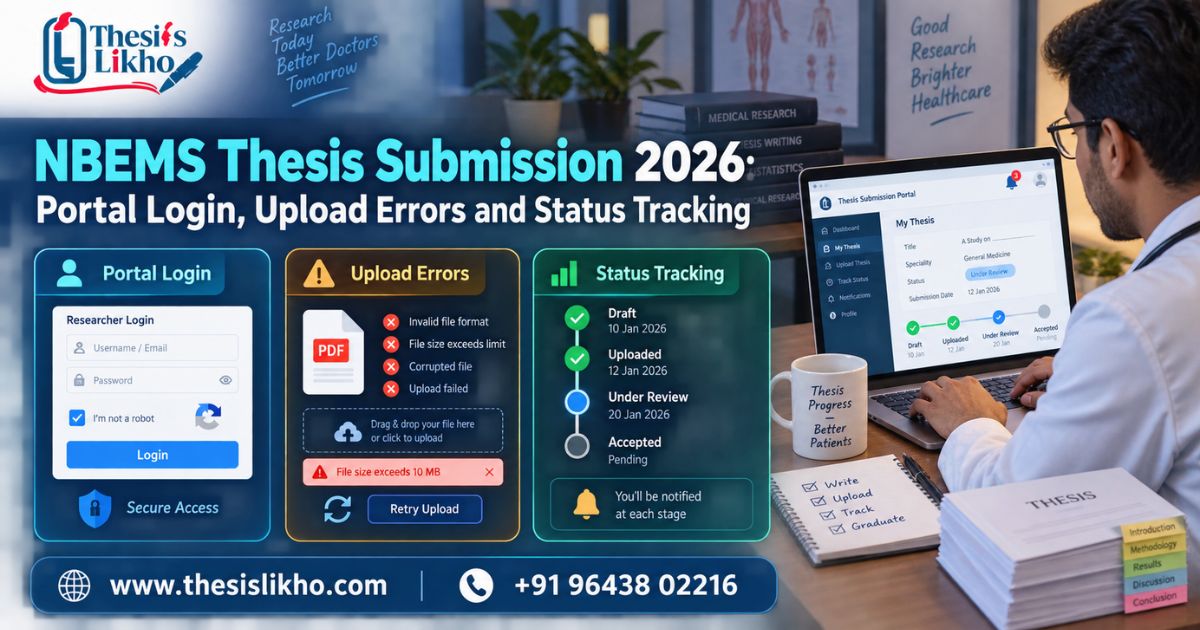
NBEMS thesis submission is not complete merely because a thesis PDF has been prepared. A DNB or DrNB trainee must use the official NBEMS thesis portal, enter the correct credentials, upload the required files in the prescribed format, complete any applicable payment step, and preserve the final acknowledgement. Login confusion, mismatched trainee details, unreadable certificates, oversized files and last-minute uploads can interrupt the process. This 2026 guide explains how to locate the official portal, prepare a controlled submission folder, troubleshoot common access problems and verify that the application has moved beyond a saved draft. Always compare every step with the latest notice NBEMS displays for your admission session.
Quick answer: For NBEMS thesis submission, open the official NBEMS website and use its thesis submission/login link rather than an unofficial portal. Keep your trainee details, final thesis, certificates and payment method ready. After uploading, recheck every document, submit the application, download the acknowledgement and verify the displayed status. Session-specific NBEMS notices remain final.
Need a pre-submission document review? Chat with ThesisLikho on WhatsApp for thesis formatting, citation, table, figure and document-consistency support. Keep your NBEMS password and OTP private.
Important: ThesisLikho is an independent academic support platform and is not affiliated with NBEMS. This article does not replace an official NBEMS notice, trainee dashboard instruction or institutional direction.
Table of Contents
- Official NBEMS thesis portal and login
- What to check before opening the portal
- NBEMS thesis submission process
- Document readiness matrix
- Portal login and upload problems
- How to verify final submission
- Submission mistakes to avoid
- When academic review may help
- Frequently asked questions
Official NBEMS Thesis Portal and Login {#official-nbems-thesis-portal-and-login}
Start from the official NBEMS website and follow the current thesis-related link shown there. An official NBEMS page also lists a Thesis Login for Online Thesis Submission. Portal addresses and menu locations can change, so trainees should not rely on an old bookmark, advertisement or third-party login page without confirming the domain.
Portal, login and submission are different stages.
These three search terms often appear interchangeable, but they refer to separate parts of the task:
Term What it means What the trainee should verify
NBEMS thesis portal The official online system used for thesis-related activity Official NBEMS/Natboard domain and correct submission window
NBEMS thesis login Authentication required to access the trainee's record Correct credentials, registered contact details and admission/session data
NBEMS thesis submission Uploading, checking and formally submitting the required application Final files, payment where applicable, submitted status and acknowledgement
Reaching the login screen does not mean an application has been submitted. Similarly, uploading a file without completing the final submission step may leave the record in draft status.
Safe portal-access rule
Use this sequence whenever you need the portal:
- Type natboard.edu.in directly into the browser.
- Locate the current thesis submission link or notice.
- Confirm that the page belongs to NBEMS/Natboard before entering credentials.
- Read any notice applicable to your admission session.
- Avoid sharing passwords or one-time passwords with an editor or third party.
Do not treat search-result snippets as current instructions. The notice available on the official website or inside the trainee dashboard should control the actual submission.
What to Check Before Opening the Portal {#what-to-check-before-opening-the-portal}
Portal errors become harder to solve close to a deadline. Complete a readiness check before logging in.
1. Confirm trainee identity data
Keep the details used in NBEMS records available, such as the candidate/trainee identifier, registered email address, mobile number, admission session, speciality, training institution and joining information. The spelling and format should agree with the official record. Do not create alternate data merely to pass a validation screen.
2. Read the notice for your own admission session
Deadlines and requirements may differ by programme, admission session or special notification. A date quoted in an older blog may be wrong for the current trainee. Check:
- Eligible admission session or batch
- Portal opening and closing dates
- Applicable late-submission conditions, if officially announced
- File names, formats and size limits
- Required certificates or declarations
- Fee and payment instructions displayed by NBEMS
- Modification/resubmission procedure, where applicable
This article deliberately does not state a universal deadline or fee because session-specific NBEMS notices should be treated as final.
3. Create a controlled document folder
Use one folder for the final submission package. Separate it from drafts and supervisor-commented copies. A practical folder may contain:
- 01_Final_Thesis.pdf
- 02_IEC_Approval.pdf
- 03_Thesis_Protocol_or_Approval.pdf
- 04_Institution_or_Guide_Certificate.pdf
- 05_Required_Declaration.pdf
- 06_Payment_and_Acknowledgement.pdf
These are organisational examples, not official file-name rules. If the portal provides a required naming convention, follow that convention.
4. Run a final file check
Open every PDF after export. Check that the first and last pages are present, page order is correct, signatures and stamps are readable, images are not blurred, and no tracked changes or comments remain. A file that opens correctly on the author’s computer may still be too large or damaged, so test it in another standard PDF viewer if possible.
5. Keep a stable technical setup
Use a supported, updated browser and a stable internet connection. Avoid completing a high-stakes upload on public Wi-Fi. Keep the charger connected and allow enough time for payment confirmation or server delays. Do not open the same application in several browser tabs because overlapping sessions can create confusion about which changes were saved.
NBEMS Thesis Submission Process {#nbems-thesis-submission-process}
The labels visible on the portal may differ, but the following workflow helps trainees control the process.
Step 1: Enter through the official website
Open the official NBEMS website and follow the thesis submission link applicable to your course or session. Check the website domain before proceeding. If NBEMS has issued a current notice, read it before logging in.
Step 2: Complete the NBEMS thesis login
Enter the credentials associated with the trainee record. Do not repeatedly guess passwords. If the portal offers an authorised recovery method, use it. Check the registered email/mobile account for reset instructions and keep a screenshot of any error message if the problem continues.
Step 3: Verify the dashboard record
Before uploading anything, confirm the trainee’s name, course, speciality, institution and admission/session data. If a material record is incorrect, stop and use the official support or institutional channel. Uploading against an incorrect record can make later correction more difficult.
Step 4: Complete the required form fields
Enter the thesis title and other requested information exactly as required. Compare the title with the final thesis title page, protocol/approval and certificates. Small differences in punctuation may be harmless, but differences in subject, intervention, population or study design should be reviewed rather than silently ignored.
Step 5: Upload each document in its correct field
Select the right file for every upload slot. After upload, use any preview/view facility available. File names alone are not sufficient evidence; open the uploaded copy when the portal permits it.
Step 6: Review the entire application
Check every entry and attachment before final submission. Use a two-person check when possible: the trainee verifies identity and portal details, while the guide or authorised institutional reviewer verifies academic and certificate consistency. The trainee should retain control of credentials and final submission.
Step 7: Complete the fee/payment stage shown by the portal
Pay only through the official method displayed by NBEMS. Do not assume an older fee quoted by another website is still current. Record the transaction/reference number and keep the payment receipt. If money is debited but the portal does not confirm payment, do not immediately make repeated payments; first check the portal guidance and official support route.
Step 8: Use the final submit action
A saved form may remain editable and may not count as a formal submission. Read the confirmation prompt carefully and complete the final action. Do not close the browser during processing.
Step 9: Download acknowledgement and verify status
Save the acknowledgement, application copy and payment receipt. Use clear filenames and back them up. Then log in again through the official route to confirm that the application shows the expected submitted/received status rather than draft, incomplete or payment pending.
Document Readiness Matrix {#document-readiness-matrix}
The exact document list must come from the current NBEMS portal or notice. Use this matrix as a quality-control tool, not as a replacement for the official checklist.
Item to reviewAcademic checkPortal checkCommon failure
Final thesis PDF Title, chapters, references and pagination are complete Correct format, size and upload field Draft or incomplete PDF uploaded
Thesis title Same study identity across thesis and approvals Matches typed portal information Title varies between records
Ethics/IEC record Study and approval details are legible Correct certificate selected Blurred scan or missing page
Guide/institution certification Names, designation, signatures and date checked Uploaded in requested field Unsigned or outdated version
Tables, figures and annexures Labels, consent/privacy and readability checked Included where required Cut-off pages or unreadable images
Reference list Consistent with citations and chosen style Included in final thesis Missing or mismatched references
Similarity/originality review Sources quoted, paraphrased and cited ethically Upload only if officially requested Treating score manipulation as editing
Payment record Not applicable academically Reference/receipt saved Payment made but status not verified
Acknowledgement Not applicable academically Downloaded and backed up Assuming upload alone equals submission
Title consistency requires special attention.
The study title may appear on the title page, approval documents, certificate pages, portal form and acknowledgement. If a supervisor-approved change occurred after protocol approval, use the formal institutional/NBEMS route applicable to that change. Do not edit an approval certificate yourself.
Protect confidential and patient information.
Medical theses may include case material, clinical data or annexures. Follow the approved protocol, institutional ethics requirements and applicable privacy rules. Remove accidental personal identifiers where they are not authorised or required. ThesisLikho should receive only the documents necessary for the agreed academic review, through a secure process.
Portal Login and Upload Problems {#portal-login-and-upload-problems}
“Invalid credentials” or login failure
Check typing, keyboard case, stored passwords and whether you are using the thesis portal rather than another NBEMS service. Use the authorised password-recovery function if available. If the registered email or phone is inaccessible, contact the official channel or responsible institutional office instead of creating a second identity.
Candidate or trainee record is not found.
Confirm that the correct portal and session are selected. Record the full error message, time, browser and trainee details. Ask the training institution to verify joining/registration information and use the official NBEMS support mechanism. Avoid repeated edits based on guesses.
Portal session expires
Prepare the text and files before logging in, save each section where possible, and avoid long periods of inactivity. If the session ends, log in again through the official route and confirm which fields were saved before re-entering information.
PDF does not upload
Compare the file with the format and size limit displayed on the portal. Rename it with simple letters/numbers if special characters appear to cause a problem. Export a fresh PDF from the verified source file instead of using an unknown online compressor for confidential work. Open the new file and confirm that compression has not made scans unreadable.
Upload reaches 100%, but the file is not visible.
Do not assume it was attached. Wait for the portal’s completion message, refresh only if the instructions allow it, and re-open the application to check the attachment. Keep evidence of persistent technical errors.
Payment deducted but status is pending.
Save the bank/transaction reference and portal screenshot. Check whether NBEMS advises waiting for reconciliation or using a support route. Repeated payment can create duplicate transactions, so act according to official instructions rather than panic.
The final submission button is unavailable.
Look for incomplete mandatory fields, unchecked declarations, missing uploads, pending payment or an ineligible/closed window. Scroll through the full form and review validation messages. If every item appears complete, capture the error and contact the authorised support channel before the deadline.
Fast diagnostic table for portal problems
What you seeCheck firstEvidence to retain Correct next step
Invalid login Official portal, registration details and keyboard case Full error screenshot and time Use authorised recovery or official support
Candidate record not found Programme, session and registration data Error text and trainee details Ask the institution/NBEMS to verify the record
File rejected Live file type and size rules File name, size and portal message Export a fresh readable file and retry
Payment pending Transaction reference and portal payment history Receipt, bank reference and screenshot Follow official reconciliation guidance
Submit button disabled Mandatory fields, declarations, files and payment Full-page screenshots Complete the missing item or contact support
No acknowledgement Portal status after final action Application copy and status screenshot Do not assume completion; verify through the official channel
How to Verify Final Submission {#how-to-verify-final-submission}
Use the following evidence hierarchy:
- Portal status: The application displays the expected submitted/received status.
- Acknowledgement: A downloadable acknowledgement or submission record is generated.
- Application copy: The final form and document list can be saved or printed.
- Payment confirmation: The portal records payment as successful where a fee applies.
- Reference details: Application, acknowledgement or transaction number is retained.
A screenshot of the upload screen is useful evidence of an event, but it is weaker than a formal acknowledgement. Store the acknowledgement in at least two secure locations and send a copy only to an authorised institutional contact when required.
Status tracking log
Keep a short log rather than repeatedly checking without records:
Date/timeActionPortal statusReference savedFollow-up
[Enter] Login and record verification [Enter] Screenshot Correct mismatch if any
[Enter] Documents uploaded [Enter] Application copy Final review
[Enter] Payment completed [Enter] Receipt/reference Confirm portal update
[Enter] Final submit [Enter] Acknowledgement Preserve and track
Submission Mistakes to Avoid {#submission-mistakes-to-avoid}
Using a search engine result as the portal
Search results can include old pages and third-party sites. Start from the official NBEMS website and verify the domain.
Creating another page for the same keyword intent
For ThesisLikho SEO, publishing several near-identical “NBEMS thesis submission,” “NBEMS thesis portal”, and “NBEMS thesis login” guides divides internal links and can cause Google to choose none of them consistently. Maintain one principal portal/submission guide and use narrower pages only for genuinely different needs, such as protocol preparation or rejection-response guidance.
Waiting until the final hours
Deadline traffic, payment delays, file errors or credential recovery may take time. Prepare documents and verify access early. The official deadline does not guarantee that a technical problem can be resolved instantly.
Uploading the wrong draft
Final, supervisor-commented and similarity-review files often have similar names. Use a locked final folder and open the selected file immediately before upload.
Assuming “saved” means “submitted”
Draft data may remain on the portal without formal submission. Look for the final status and acknowledgement.
Sharing login credentials with a service provider
Academic support can review documents, but the trainee should control the NBEMS account, OTP, payment and final declaration. This protects privacy and accountability.
Depending on an old deadline or fee
Dates, fees and portal conditions can change. Always follow the latest NBEMS notice relevant to your session.
When Academic Review May Help {#when-academic-review-may-help}
Portal access and academic thesis quality are different problems. A login issue should be taken through official technical/institutional channels. Academic review may help before upload when the thesis has inconsistent titles, incomplete references, unclear tables, formatting errors, weak chapter alignment or unresolved supervisor comments.
ThesisLikho can provide an independent pre-submission review covering agreed items such as:
- Title and document consistency check
- Thesis structure and formatting review
- Reference and in-text citation consistency
- Tables, figures and annexure readability
- Language editing for clarity
- Similarity-report interpretation and ethical revision guidance
- A final document-readiness checklist
Support does not include accessing the trainee’s account, impersonating the candidate, changing official certificates, fabricating data or approvals, bypassing NBEMS rules, or guaranteeing acceptance.
Need a confidential document-readiness review? Share the final thesis, relevant checklist and supervisor comments through the ThesisLikho enquiry page or WhatsApp. Keep your NBEMS password and OTP private.
Frequently Asked Questions {#frequently-asked-questions}
1. Where can I find the official NBEMS thesis portal?
Begin at the official NBEMS website, natboard.edu.in, and follow the current thesis submission link. Confirm the domain before entering any credentials because older bookmarks or third-party pages may be outdated.
2. Is NBEMS thesis login the same as final submission?
No. Login only provides access to the trainee record. Final submission generally requires completing fields, uploading documents, finishing any applicable payment step, submitting the application and obtaining acknowledgement.
3. What should I do if my NBEMS thesis login is not working?
Verify that you are using the correct official portal and credentials. Use the authorised recovery process where available. Save the complete error message and contact the official/institutional support channel if the problem remains.
4. Which documents are required for NBEMS thesis submission?
The exact list depends on the current portal, programme, session and NBEMS notice. Check the official instructions. Prepare the final thesis and every certificate/declaration requested there, ensuring each file is complete and readable.
5. How do I know whether my thesis was successfully submitted?
Re-open the application and verify the displayed status. Download the formal acknowledgement, final application copy and payment receipt where applicable. A file appearing uploaded does not by itself prove final submission.
6. What should I do if payment is deducted but the status remains pending?
Keep the transaction reference and screenshots. Follow the reconciliation or help instructions provided by NBEMS. Avoid making repeated payments unless the official support guidance specifically requires it.
7. Can ThesisLikho submit my thesis through the NBEMS portal?
The trainee should retain control of the account, OTP, declaration and final submission. ThesisLikho may review the thesis and documents for academic readiness but should not impersonate the candidate or handle confidential login credentials.
8. Does academic editing guarantee NBEMS thesis acceptance?
No. Editing can improve clarity, consistency and document readiness, but evaluation and acceptance remain entirely with NBEMS and the relevant authorities. No genuine service can guarantee the outcome.
Conclusion
Successful NBEMS thesis submission depends on both document readiness and a verifiable portal trail. Enter through the official NBEMS website, confirm your trainee record, follow the notice applicable to your admission session, upload only the final checked files and complete every required submission/payment step. Most importantly, log in again to confirm the status and preserve the acknowledgement; an uploaded document or saved draft is not enough. If you encounter an NBEMS thesis portal or login problem, record the exact error and use the authorised institutional or NBEMS support channel. For academic formatting, citation or document-consistency concerns, request a confidential ThesisLikho review while keeping your password, OTP and final candidate declaration private.
📞 Call/WhatsApp: +91 96438 02216
Website: https://thesislikho.com/