
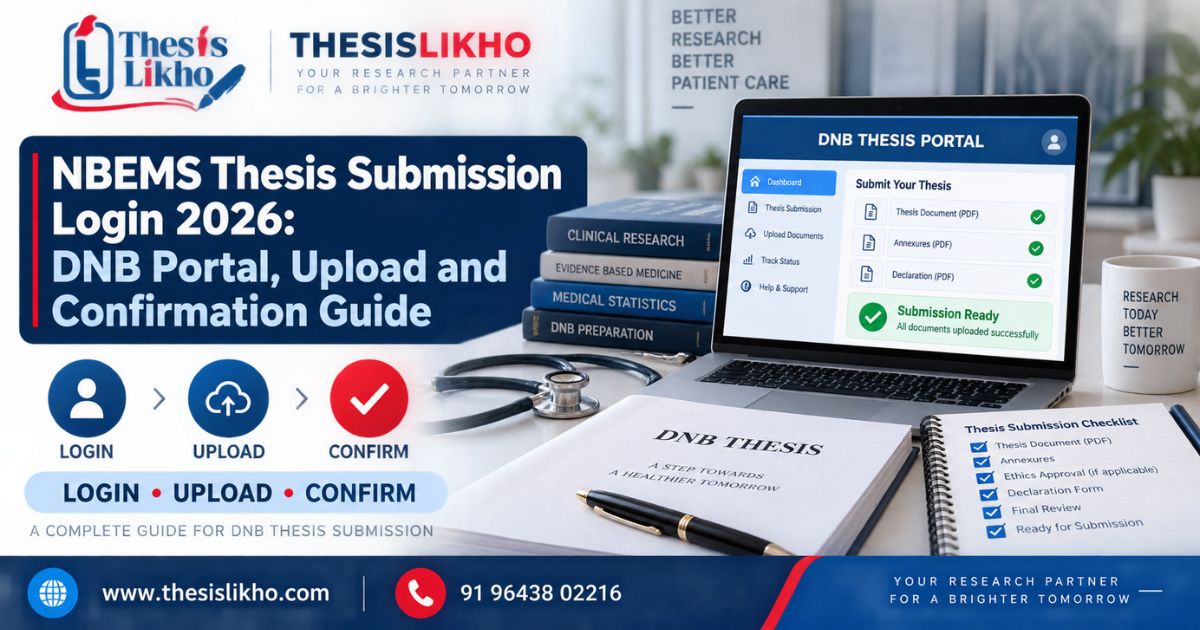
A DNB trainee may have a completed thesis yet still be unsure which NBEMS login to open, whether protocol and final-thesis submission use the same route, or what counts as proof of submission. Searching for NBEMS thesis submission login can also surface older notices and guides written for a different examination session. An incorrect candidate detail, an unreadable document or an upload left unfinished may create a problem at the final stage.
This guide explains how to identify the official DNB thesis submission portal, prepare a defensible final file, review the online application and save the acknowledgement. The steps are a preparation and verification workflow: the live NBEMS instructions and notices for your programme and session determine the required documents, applicable deadline and available portal actions.
Quick answer
To reach the NBEMS thesis submission login, start at the official NBEMS website and select Thesis – Login for Online Thesis Submission. Confirm your programme and current submission notice, then prepare the final thesis and documents requested by the live portal. Review every entry, complete the final submission action and save its acknowledgement. Protocol submission is a separate stage.
Table of contents
- What is the DNB thesis submission portal?
- Why do DNB submission problems occur?
- How to use the NBEMS thesis submission login
- What to verify in each thesis stage
- Documents and details to keep ready
- Common portal mistakes and corrections
- Final submission checklist
- When is expert review useful?
- Frequently asked questions
- Conclusion
Quick highlights
ItemActionMain problemFinding the correct final-thesis login and completing the applicationRecommended approachStart on the NBEMS site, read your current notice and follow the live instructionsKeep readyCandidate registration details, approved research records, final thesis and documents requested for your caseMajor risksWrong portal, mismatched details, wrong PDF, incomplete final action or missing acknowledgementFinal actionSave the confirmation and exact copies of the submitted files
What is the DNB thesis submission portal?
The DNB thesis submission portal is the NBEMS online facility prescribed for applicable trainees to submit a completed thesis for assessment. NBEMS lists its thesis login among trainee services, while its Digital Thesis Processing Portal provides thesis notices and related guidance.
Three actions must be kept separate:
ActionPurposeProtocol submission
Submitting the proposed research plan at the applicable earlier stageFinal thesis submission
Submitting the completed research and required application materialPost-submission follow-up
Retaining the acknowledgement and responding to any official communication
Do not open a page labelled Online Thesis Protocol Submission and assume you have submitted your final thesis. Likewise, an uploaded file is not necessarily a completed application. Check the final confirmation shown by the system.
Why do DNB submission problems occur?
The wrong route is selected. NBEMS has separate trainee services and protocol-related facilities. The page heading should match your intended action.
An older deadline is followed. NBEMS issues notices that can relate to particular programmes or examination sessions. A deadline seen in a previous trainee’s screenshot may not apply to you.
Candidate details differ. A registration number, name or programme entered incorrectly may prevent access or create an inconsistency in the application.
The thesis and approved records disagree. A changed title, objective or study method needs explanation and any approval required for that change.
Documents are prepared at the last moment. Signatures, scans, declarations and the final approved thesis version should be checked before opening the upload form.
The submission is not confirmed. Leaving after selecting a file, without completing the final portal action and saving proof, makes the status uncertain.
The correction depends on the actual problem. Do not repeatedly upload different files until you know whether the issue concerns login, document preparation, application fields or confirmation.
How to use the NBEMS thesis submission login
The screen layout and required fields may change. Use these eight steps alongside the current NBEMS instructions.
Step 1: Find the official route
Open natboard.edu.in and locate Thesis – Login for Online Thesis Submission under the trainee services. Review the official thesis portal notice board before starting.
Verify: The site is an NBEMS domain, and the page is for the completed-thesis task.
Risk: Another trainee service or protocol page will not complete the final DNB thesis submission.
Step 2: Identify your applicable notice
Match the notice to your course and examination session. Read its timeline, eligibility instructions and any later updates. NBEMS has published a notice dated 2 July 2026 concerning thesis submission, acceptance and eligibility timelines; read the actual notice rather than treating a date quoted in a blog as your deadline.
Verify: The notice applies to your circumstances.
Risk: A session-specific extension or an older timetable may be misunderstood as a general rule.
Step 3: Reconcile your candidate information
Keep your registration record nearby. Enter only the details requested by the current login and check any displayed name, course and institutional information before moving forward. Keep your credentials and one-time codes private.
Verify: Every identifier refers to you.
Risk: A mismatch may block the process or affect the submitted record.
Step 4: Freeze the supervisor-reviewed thesis
Select the version intended for submission and compare its title, objectives and methods with the approved protocol and any authorised changes. Finish substantive corrections before making the final upload file.
Verify: Your guide has reviewed the appropriate version as required.
Risk: Formatting a document beautifully will not correct an unresolved academic inconsistency.
Step 5: Prepare and open every file
Create the format required by the live portal. Open the thesis and each supporting document after export. Check page order, signatures where applicable, readability, filename and any size limit displayed on screen.
Verify: The complete file opens and is the approved version.
Risk: A damaged, incomplete or older file may create a deficiency.
Step 6: Complete the online fields and uploads
Enter the requested thesis and candidate details carefully. Upload documents in the categories specified by the portal. If the system offers a preview or document list, inspect it before continuing. Follow any payment instructions only if it applies to your displayed application.
Verify: Form entries, document categories and filenames agree.
Risk: A successful transfer of a file does not prove that it was attached to the correct field.
Step 7: Perform the final review and submit
Read the declaration and check the entire application. Correct mistakes through the controls the portal provides; do not submit conflicting information hoping to explain it later. Complete the final submission action.
Verify: The portal indicates completion rather than a saved draft or pending upload.
Risk: Stopping one click early can leave the application incomplete.
Step 8: Save proof and monitor official communication
Download or capture the acknowledgement or reference number generated by NBEMS. Store it with the exact thesis and documents submitted. Check the official status or communication facility applicable to your case, and respond to any later instruction within its stated period.
Verify: You can identify what was submitted and retain the confirmation.
Risk: An acknowledgement of submission should not be described as acceptance of the thesis.
What to verify in each thesis stage
Topic and protocol: Compare the final title and research objectives with your approved plan. If the study changed, identify the reason and check whether institutional or NBEMS documentation is required.
Literature review: Show how existing evidence leads to your clinical research question. Verify cited findings against the original papers rather than relying on copied summaries.
Methodology: Check study design, setting, eligibility criteria, sampling, data collection and ethics records against the work actually conducted.
Data analysis: Reconcile denominators, tables and statistical descriptions with the authentic dataset. Explain missing data and analysis choices where relevant.
Results and discussion: Report what the study found, then interpret it with appropriate comparisons and limitations. Do not turn an association into an unsupported causal claim.
Citations and references: Ensure every cited source has a matching, accurate reference and that tables or figures taken from other work are attributed.
Formatting and final file: Follow the NBEMS thesis guidelines available from its portal, together with the live application instructions and your institution’s requirements. For a separate academic-writing check, see ThesisLikho’s DNB thesis guide from protocol to submission.
Documents and details to keep ready
This is a preparation checklist. The current NBEMS instructions decide which items must actually be uploaded.
- NBEMS registration details: For login and identity checks.
- Programme and examination-session information: For finding the correct notice and timeline.
- Approved protocol and records of authorised changes: For checking the completed thesis against the approved study.
- Ethics and institutional documents where applicable: For demonstrating the permissions relevant to the research.
- Final supervisor-reviewed thesis: For the main assessment submission.
- Guide and institution details: For any fields or declarations that request them.
- Signed forms or annexures requested by the portal: For the appropriate supporting-document categories.
- A secure confirmation folder: For the submitted files and acknowledgement.
Use the DNB pre-upload checklist to organise a document review, then verify every item against the official instructions for your own application.
Common portal mistakes and corrections
MistakePossible resultCorrectionOpening the protocol facility for a final thesisWrong process selectedReturn to the official NBEMS trainee-services thesis linkAssuming one deadline applies to every candidateMissed or mistimed applicationRead the notice for your programme and sessionTyping a registration detail from memoryLogin or record mismatchCompare it with your official recordUploading a draft with an older titleConflict with approved documentsFreeze and label the correct final versionSubmitting an unreadable scanDocument query or delayOpen and inspect every page before uploadChoosing the wrong document categorySupporting material appears missingReview the portal’s attachment list before confirmingTreating an upload as a completed submissionNo final application or acknowledgementFinish the last action and save confirmationTreating acknowledgement as thesis acceptanceMisunderstood assessment statusFollow subsequent official status and communication
If the site fails, record the error message, page and time. Check the official notice and help instructions, then contact the support channel NBEMS specifies. Do not disclose your password or one-time code to an outside consultant.
Final submission checklist
- I checked the latest NBEMS notice applicable to my programme and session.
- I used the official NBEMS thesis submission login for a final thesis.
- My registration, name, institution and thesis title are consistent.
- My completed thesis aligns with the approved protocol and documented changes.
- The study data, tables, results and conclusions have been verified.
- In-text citations and references match.
- The current formatting and portal file instructions have been followed.
- Required supporting documents and signatures are complete.
- My supervisor has reviewed the final version where required.
- Each uploaded file opens and is attached to the right field.
- I completed the final submission and saved the acknowledgement.
When is expert review useful?
A review may help when your approved protocol and final thesis do not appear to align, a guide has questioned your analysis, or several supporting files need a consistency check. Ask for a defined review of the specific problem and written feedback you can evaluate with your guide.
ThesisLikho’s thesis support page describes academic assistance. Such support cannot replace the trainee’s authentic research, required approvals, private portal access or responsibility for final submission.
Frequently asked questions
Where can I find the official NBEMS thesis submission login?
Start at the NBEMS website and select its Thesis – Login for Online Thesis Submission trainee service. Check the site address before entering details. Also read the thesis notices for your programme and examination session. Search results can surface protocol facilities or older guides, so use the live official page to confirm the correct route.
Is the DNB thesis submission portal the same as the protocol portal?
They concern different stages. A protocol presents the planned research; final thesis submission concerns the completed study and its assessment application. NBEMS has an online facility specifically labelled for protocol submission. Read the heading and instructions on the page you open. If you are unsure which stage is pending, confirm it with your guide or institution.
What documents are needed for DNB thesis submission?
Prepare your final thesis, registration details, relevant approval records and any declaration or supporting file identified in the current NBEMS instructions. The exact upload list can vary with the application and current process. Do not treat a previous trainee’s checklist as definitive. Read every document category shown on your live application and verify each file before submission.
What should I do if my NBEMS thesis login does not work?
Confirm you used the official final-thesis route, then compare the requested registration information with your records. Note any error exactly as displayed, together with the time and page. Follow the help or contact procedure given by NBEMS if the problem continues. Avoid repeated guesses or giving your login credentials to an independent service provider.
Does uploading my thesis PDF mean submission is complete?
Do not assume so. After uploading, review all fields and attachments and complete the final action shown by the portal. Save the acknowledgement or reference information generated afterwards. If you leave without confirmation, use the official status and help options to establish whether the application was submitted before attempting another upload.
Does the acknowledgement mean my DNB thesis has been accepted?
An acknowledgement records the submission action; thesis assessment or acceptance is a separate matter. Keep the acknowledgement because it may be needed for later communication. Follow NBEMS’s official status updates and respond to any deficiency or other instruction according to the notice applicable to you. Avoid describing a submitted thesis as accepted before NBEMS confirms that status.
Conclusion
Complete DNB thesis submission by starting at the official NBEMS thesis submission login, reading the notice for your session, checking the research and documents, and finishing the portal’s final action. Retain the acknowledgement and monitor official communication. The live NBEMS guidance takes precedence over any third-party walkthrough.
If you need a defined review of thesis structure, references, results presentation or file readiness, contact ThesisLikho on WhatsApp with your specific question. ThesisLikho is an independent academic-support service, not NBEMS. The trainee remains responsible for the research, account access, declarations and final submission.