
A trainee can finish a DNB or DrNB thesis and still face uncertainty at the last step: which login is for the final upload, which documents are needed, and what counts as proof of submission? NBEMS thesis submission needs careful checking because the thesis protocol and the completed thesis serve different purposes, while a saved file or an open portal page does not necessarily show that a submission went through. Requirements and timelines may also depend on the current NBEMS notice and the trainee’s circumstances. This guide helps you locate the official route, check your thesis before upload, work through the portal carefully and preserve the acknowledgement. Use it alongside current NBEMS instructions and your institution’s guidance, especially for eligibility, deadlines and required documents.
Quick answer: For NBEMS thesis submission, start from the official NBEMS trainee services page, select its thesis login link and follow the current portal instructions. Prepare the approved final thesis and applicable supporting records before uploading. Verify the displayed details and save the submission acknowledgement. Always check current NBEMS notices; an upload acknowledgement does not itself establish thesis acceptance.
Contents
- What is NBEMS thesis submission?
- Why do submission problems occur?
- Step-by-step submission process
- Stage-wise guidance before the final upload
- Required documents and information
- Common mistakes and rejection risks
- Final submission checklist
- When is expert review useful?
- Frequently asked questions
- Conclusion
Main problemFinding the correct final-thesis login and completing a verifiable submissionRecommended approachUse the official NBEMS route, check current instructions, then upload and confirmInformation to prepareTrainee details, approved thesis, supervisor or institution records and any documents currently requestedMajor risksUsing the protocol route, uploading an outdated file, missing a required approval or assuming an attempted upload succeededFinal actionSave the acknowledgement and check the portal status or official follow-up instructions
What is NBEMS thesis submission?
NBEMS thesis submission is the process through which an eligible trainee submits a completed thesis under the applicable National Board of Examinations in Medical Sciences requirements. It concerns trainees in relevant NBEMS programmes, including DNB and DrNB, who have reached the final-thesis stage.
Protocol submission and final thesis submission are different stages. A protocol sets out a proposed study; the final thesis reports the work completed. NBEMS provides a separate online thesis protocol submission facility, so check the label and purpose of a portal before entering details or uploading files. The NBEMS digital thesis portal and trainee services page are useful starting points for the current official route.
A successful technical upload is another distinct event. Keep the acknowledgement, but follow the portal status and NBEMS communications for any subsequent scrutiny or decision.
Why do submission problems occur?
- The protocol and final-thesis links look related. A trainee may open the wrong facility because both concern thesis work. Check the portal heading before proceeding.
- An older instruction is mistaken for the current rule. Timelines and procedures should be checked against the latest applicable NBEMS notice, rather than an undated screenshot or a previous batch’s advice.
- The uploaded file differs from the approved version. Last-minute revisions can leave the trainee with several similarly named PDFs. Compare the final file with the supervisor-approved copy.
- Academic details are inconsistent. Differences in the title, trainee information or research details across the thesis and supporting records can cause avoidable queries.
- The file has technical problems. A corrupt PDF, missing pages or failure to meet a portal requirement can interrupt submission. Open and inspect the exact file you intend to upload.
- The trainee leaves without checking the result. Clicking an upload button is not proof that the final submission was recorded. Look for the acknowledgement or status specified by the portal.
Step-by-step submission process
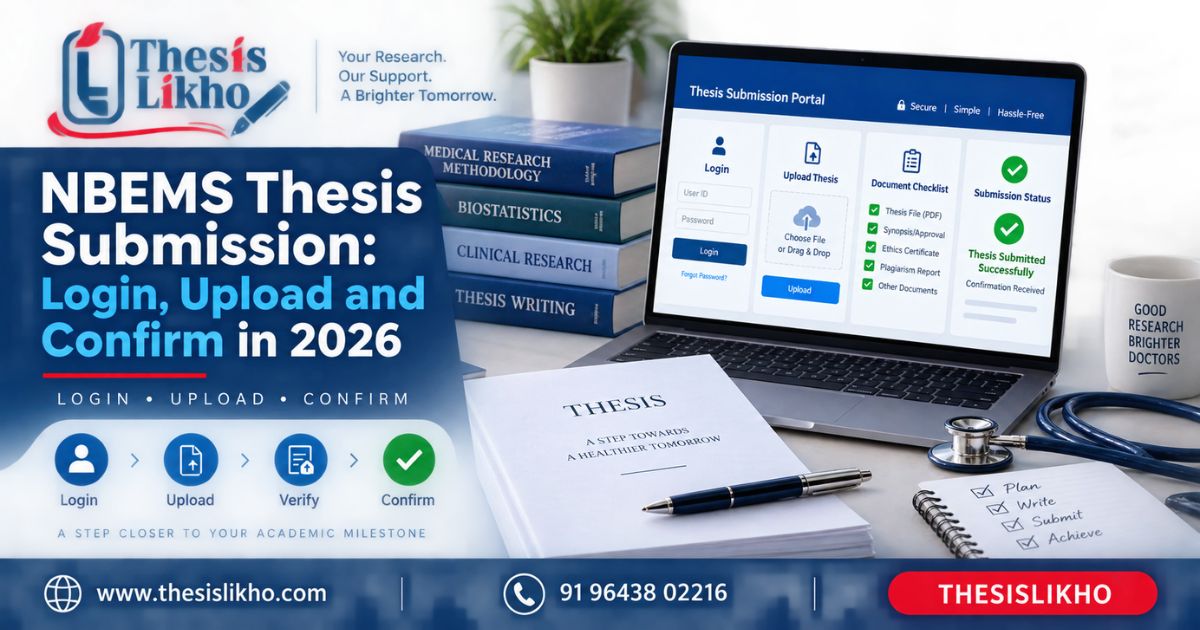
- Check the current rules and your eligibility. Read the applicable notice on the NBEMS digital thesis portal, along with your institution’s instructions. Verify your programme, submission window and any case-specific requirements. The risk is following a procedure that applies to another batch or stage.
- Open the official thesis login. Navigate through NBEMS trainee services and select the link for online thesis submission. Check the website address and page heading before entering credentials. Avoid login links forwarded without a reliable source.
- Confirm that you are in the final-thesis workflow. The online protocol submission facility serves a different stage. Read the portal’s own labels and instructions rather than assuming that an earlier protocol login is the final submission route.
- Prepare one approved final file. Apply the current formatting instructions, include the required sections and review every page of the export. Give the file a clear version name for your own records. An earlier draft or incomplete PDF can create a problem that is difficult to correct after submission.
- Gather supporting information before logging in. Keep your trainee details and any approvals, declarations or other records requested by the current portal ready. Enter information from authoritative records; do not guess at a missing detail.
- Upload and review the displayed entries. Follow the live instructions for file type, size and each required field. Where a review screen is available, compare the thesis title, trainee details and attachment names with your approved documents. A correct file attached to an incorrect record can still cause trouble.
- Complete the final submission action. Distinguish “save,” “upload”, and “submit” where the portal presents separate actions. Follow the confirmation prompts and avoid closing the session while processing is underway.
- Preserve and verify the result. Download or capture the acknowledgement and note any reference number and status shown. Recheck the portal using its official instructions. If confirmation is absent, investigate through official support or your institution instead of assuming the upload succeeded. Keep a secure copy of the submitted PDF and acknowledgement.
For a focused file review before this process, use the DNB thesis pre-upload checklist.
Stage-wise guidance before the final upload
Topic and proposal: Confirm that the final title and study scope accurately describe the work completed. If the project changed after protocol approval, resolve the change with your supervisor and institution under the rules that apply to you.
Literature review: Check that the review supports the research question and uses traceable sources. A useful research gap guide can help you test whether the rationale is clearly stated.
Research methodology: Make sure the reported design, setting, participants, measures and approvals agree with what was actually done. Do not alter a methods description merely to make it resemble an earlier proposal.
Data analysis: Recheck totals, denominators, tables and statistical descriptions against your source records. State the analysis performed, including relevant limitations.
Results and discussion: Confirm that every conclusion follows from the presented results. Discuss findings without claiming more than the study supports.
Citations and references: Check in-text citations against the reference list and verify source details. Correct any borrowed wording with proper quotation or original synthesis and attribution.
Formatting: Review the table of contents, page order, figures, tables, appendices and PDF export against current instructions. Open the exported file on another device if possible to catch display problems.
Final submission: Obtain the approvals required in your case, upload the approved version and retain evidence of the portal’s response. The DNB thesis writing process guide provides broader context for the earlier stages.
Required documents and information
Use this as a preparation list; the live NBEMS instructions determine what must actually be uploaded.
- Trainee and programme details: Used to identify the correct record and check portal entries.
- Approved final thesis file: Used for the final upload; inspect the exact exported copy.
- Supervisor or institutional approval records, where required: Used to confirm that the submitted version has completed the relevant internal review.
- Study approval and research records relevant to your thesis: Used to check that statements in the methodology and declarations are accurate.
- Current NBEMS notice and formatting instructions: Used to verify eligibility, timing, file requirements and submission steps.
- Submission acknowledgement and final uploaded copy: Retained after submission for reference and follow-up.
Common mistakes and rejection risks
Opening the protocol facility for a final thesisSubmission is attempted in the wrong workflowCheck the official link and page headingRelying on an old deadline or instructionMissed or incorrect requirementRead the current applicable NBEMS noticeUploading a draft instead of the approved thesisThe submitted content differs from the reviewed versionCompare the file with the approved copy before uploadLeaving missing pages or broken tables in the PDFAn incomplete or difficult-to-read thesisInspect the exported PDF from start to finishEntering a title or trainee detail inconsistentlyA query or mismatch in the recordCopy details from approved records and review entriesUsing incomplete or inaccurate citationsAcademic-integrity concerns or correction requestsCheck claims, citations and the reference list togetherAssuming “uploaded” means “submitted”No confirmed final submissionComplete every required portal action and save its responseTreating acknowledgement as acceptanceMisunderstanding the thesis statusFollow subsequent official status updates and communications
Final submission checklist
- Content verified: Findings, tables, declarations and conclusions reflect the completed work.
- Citations checked: Attributed material and quotations are handled correctly.
- References matched: Every cited source has a corresponding entry, and entries are accurate.
- Formatting checked: The complete exported file follows the current applicable instructions.
- Official guidelines verified: You have checked the relevant NBEMS notice and portal directions.
- Supervisor approval received: The submitted version has the approval required in your case.
- Final files correctly prepared: The intended file opens, uploads as required and matches the approved version.
- Submission confirmed: You have retained the acknowledgement and know how to check status.
When is expert review useful?
An independent review can help when the thesis has undergone many revisions, its tables and narrative have been edited by different people, or the reference list needs a careful audit. Ask a reviewer to identify specific issues in your own work and explain suggested corrections. Your supervisor and institution remain the appropriate sources for academic approval and requirements.
If you need editorial help with structure, references or final-file checks, see ThesisLikho’s thesis assistance services. Any assistance should respect your institution’s academic-integrity rules; a service cannot promise NBEMS acceptance.
Frequently asked questions
Where can I find the NBEMS thesis submission login?
Start at the official NBEMS trainee services page and follow its online thesis submission link. This gives you a reliable starting point if a saved login URL changes or an old link stops working. Check the portal heading before signing in, and follow current NBEMS notices for the procedure that applies to your programme.
Is thesis protocol submission the same as final thesis submission?
No. A protocol describes the proposed research, while the final thesis presents the completed study. NBEMS has a separately identified online protocol submission facility. If you are preparing the final thesis, confirm that the link and workflow are for that stage before uploading anything. Ask your institution for guidance if your record shows an unresolved protocol issue.
Which documents should I upload with my DNB thesis?
Prepare your approved thesis and the records that support the details you will enter. The exact attachments depend on the current portal instructions and requirements applicable to your case, so avoid using another trainee’s document list as your final authority. Check each requested item on the live page, then verify the uploaded file and its displayed name before submission.
How can I confirm that my thesis was submitted successfully?
Follow the portal through its final submission action and look for the acknowledgement, reference number or status it provides. Save that evidence with the exact PDF you submitted. If you see only a file upload or draft state, check the portal instructions before treating the process as complete. Submission confirmation should also be distinguished from any later thesis assessment or acceptance.
What should I do if the portal fails during upload?
First, check your connection, the current file requirements and whether the file opens correctly. Avoid making repeated submissions without checking whether the first attempt was recorded. Save a screenshot of any error, note the time and consult the official support route or your institution promptly, especially near an applicable deadline. Follow their instructions for the next attempt.
Can someone else complete NBEMS thesis submission for me?
You should retain control of your login, academic declarations and final submission. An editor or reviewer can help you inspect formatting, references and file completeness, subject to your institution’s rules, but you must verify what is submitted under your details. Do not share credentials casually or approve declarations you have not read and confirmed.
Conclusion
For NBEMS thesis submission, the safest sequence is to check the current official instructions, use the correct final-thesis login, upload the approved file and keep a verifiable acknowledgement. Recheck any requirement that depends on your programme or submission window. If you would like a review of your thesis structure and final-file checklist before uploading, send ThesisLikho an enquiry.
WhatsApp: +91 96438 02216
Website: https://thesislikho.com/