
Completing a thesis is a major part of postgraduate medical training, but finishing the research document is not always the final step. NBEMS thesis submission can involve several practical checks, including the thesis file, candidate information, formatting, supporting documents, portal access and submission confirmation.
Many DNB and DrNB candidates face questions at the last stage: Where should the thesis be submitted? How does the NBEMS thesis portal work? What should be checked before uploading the final file? What happens if the login does not work or the portal shows an error? How can a candidate know whether the submission was completed successfully?
This guide explains the complete journey in simple terms:
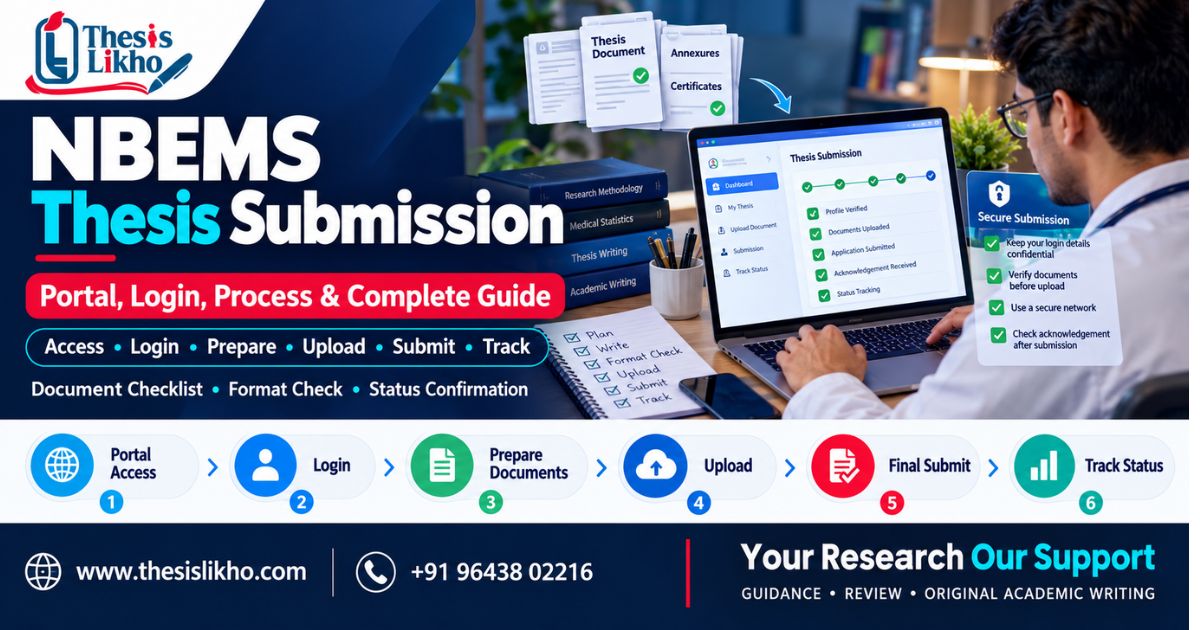
Prepare → Check → Login → Enter Details → Upload → Review → Submit → Save Confirmation → Check Status → Handle Corrections
Because online systems and requirements can change, candidates should always verify the latest instructions on the official NBEMS platform before making their final submission.
Need help checking your thesis before submission? Academic support can help review formatting, structure, references, tables, research presentation and overall submission readiness.
What Is NBEMS Thesis Submission?
NBEMS thesis submission refers to the process of submitting a completed thesis according to the requirements and submission procedure applicable to the candidate's programme and current NBEMS instructions.
For a DNB or DrNB candidate, completing the research work and preparing the final thesis document are important stages. However, a completed document does not automatically mean that the submission process itself has been completed.
The final stage may require the candidate to:
- Check the applicable thesis requirements.
- Prepare the final thesis file.
- Verify candidate and supervisor details.
- Arrange required information and supporting documents.
- Access the relevant online system.
- Enter or confirm thesis details.
- Upload the required file or files.
- Review the information before submission.
- Complete the submission process.
- Save confirmation or reference information.
- Monitor the submission status where applicable.
A small error in the candidate details, thesis title, document version or uploaded file can create unnecessary problems later.
Why should you check the latest NBEMS requirements?
Thesis guidelines, online procedures and portal interfaces can change. Therefore, information found in an old guide, screenshot or previous candidate's experience may not exactly match the current process.
Before submitting, compare your preparation with the latest official NBEMS thesis guidelines and instructions.
Need a second check before submission? A pre-submission review can help identify formatting, document, reference and consistency issues before you proceed.
What Is the NBEMS Thesis Portal?
The NBEMS thesis portal refers to the online system or relevant online section used for thesis-related processes under the National Board of Examinations in Medical Sciences.
Depending on the applicable process and current portal setup, candidates may use the online system for activities such as:
- Accessing thesis-related services
- Providing candidate or thesis information
- Uploading required information or files
- Completing an online submission
- Reviewing submission-related information
- Checking available status or follow-up information
The exact interface can change. For this reason, candidates should use the official NBEMS website and follow the current instructions rather than relying on an old screenshot or third-party description of portal buttons.
Why is the official portal important?
Searching for an NBE thesis submission portal may produce several websites, articles and old references. Not every result is an official source.
Before entering credentials or uploading academic documents, confirm that you are using the appropriate official NBEMS platform.
NBEMS Thesis Login: How to Access the Portal
NBEMS Thesis Portal Login Process
The general login journey can be approached as follows:
1. Open the official NBEMS website or relevant portal
Start from the official NBEMS platform rather than an unknown third-party link.
2. Locate the relevant thesis section
Look for the current thesis-related service or section applicable to your programme.
3. Enter your required credentials
Use the credentials associated with your NBEMS account or the information requested by the current portal.
4. Complete verification if required
Some online systems may require an additional verification step. Follow the instructions displayed on the official portal.
5. Access the thesis submission section
Once logged in, locate the relevant thesis-related process.
6. Review your candidate details
Before entering or uploading anything, check that the candidate information displayed is correct.
Important: Portal names, buttons, fields and login procedures can change. Do not rely on an old step-by-step screenshot as the final authority.
What If NBEMS Thesis Login Is Not Working?
Login problems can happen for several reasons. Before assuming that there is a problem with your thesis account, check the basics:
- Are you using the correct credentials?
- Have you entered the information correctly?
- Is the official portal currently accessible?
- Is the verification or OTP process working?
- Is your internet connection stable?
- Does the page work in another supported browser?
- Have you tried clearing the browser cache?
- Is the problem occurring only on one device?
- Does the portal display a specific error message?
If the problem continues, record the error message or take a screenshot for your own reference and follow the official support procedure.
NBEMS Thesis Submission Process: Step-by-Step
The most useful way to approach the NBEMS thesis submission process is to treat it as a final quality-control workflow rather than simply uploading a PDF.
Step 1 — Check Thesis Requirements
Start by checking the current requirements applicable to your programme and submission stage.
Do not assume that an old thesis format, previous candidate's checklist or information from an unrelated programme applies to you.
Check:
- Current thesis instructions
- Applicable submission requirements
- Required format
- Relevant deadlines, if applicable
- Supporting information or documents
- Current portal instructions
Step 2 — Finalise the Research Work
Your thesis should be at the final stage before you start the submission process.
Review:
- Research objectives
- Methodology
- Data
- Analysis
- Results
- Discussion
- Conclusion
- References
- Tables and figures
- Appendices, where applicable
The final file should represent the version you actually intend to submit.
Step 3 — Check Thesis Structure and Formatting
Formatting errors are easy to overlook when the focus has been on research.
Check the entire document for:
- Heading consistency
- Page numbering
- Tables
- Figures
- References
- Citations
- Spacing
- Font consistency
- Section order
- Title page
- Declaration/certificate sections where applicable
Step 4 — Prepare Required Information and Documents
Keep the information required for the online process ready before starting.
Depending on the current NBEMS requirements, candidates may need information relating to:
- Candidate details
- Training or institute details
- Thesis title
- Supervisor details
- Thesis document
- Declarations or certificates
- Other supporting research information.
Do not treat this as a fixed universal list. Check the current instructions applicable to your submission.
Step 5 — Log in to the NBEMS Thesis Portal
Access the appropriate official portal or thesis-related section and log in using the required credentials.
If possible, avoid leaving the entire process until the last few hours. Technical problems can occur unexpectedly.
Step 6 — Enter Candidate and Thesis Details
Carefully enter or verify the requested information.
Pay particular attention to:
- Candidate name
- Candidate ID or registration details
- Programme information
- Institute details
- Thesis title
- Supervisor information
Compare important details against your official records before continuing.
Step 7 — Upload the Required Files
Upload the final files requested by the current portal.
Before uploading, confirm:
- You selected the correct file.
- It is the latest version.
- The file opens correctly.
- The document is readable.
- The file meets the current format requirements.
- The file size is within the currently permitted limit.
Never assume that the file sitting on your desktop is automatically the final version.
Step 8 — Review All Information Before Submission
This is one of the most important steps.
Before clicking the final submission option, stop and review everything once more.
Check the candidate information, thesis title, supervisor details, uploaded file and other fields.
A five-minute review can prevent a much longer correction process.
Step 9 — Submit the Thesis
After checking the information, complete the submission according to the instructions displayed by the official portal.
Do not close the browser or navigate away prematurely if the portal is still processing the submission.
Step 10 — Save Submission or Reference Details
If the system provides a confirmation, acknowledgement, reference number or other submission information, save it.
You can:
- Download the confirmation where available.
- Take a screenshot
- Save the reference number.
- Keep a record of the submission date.
- Store relevant communication safely.
Step 11 — Check Submission Status
After submission, check the available status information according to the current NBEMS process.
Do not confuse:
File uploaded → Submission completed → Submission accepted/reviewed.
These may represent different stages depending on the applicable process.
Before You Click Submit: Quick Checklist
Stop for two minutes and verify:
☐ Candidate details are correct
☐ Thesis title is correct
☐ Supervisor details are correct
☐ Final thesis version is selected
☐ Formatting has been checked
☐ References have been reviewed
☐ Tables and figures are correct
☐ Required supporting documents are ready
☐ File format and size meet current requirements
☐ All portal fields are complete
☐ You have reviewed the final page
☐ You know where to save the confirmation/reference details
NBEMS Thesis Submission Checklist
Candidate detailsName, ID and programme detailsThesis titleCorrect and final titleSupervisor detailsCorrect informationThesis fileCorrect final versionFormattingRequired structure and formattingSupporting documentsRequired documents attached where applicableFile formatCurrent accepted format and sizeDeclarationCompleted where requiredPortal detailsAll fields reviewedSubmission proofConfirmation/reference saved
This checklist is designed as a practical final review. It should not replace the current official NBEMS instructions.
NBEMS Thesis Formatting: What Should You Check?
There may not be one universal formatting rule that can safely be applied to every candidate without checking the current applicable requirements.
However, a final thesis review should generally look at areas such as:
Title Page
Check the thesis title, candidate information, programme information and other required details.
Supervisor Information
Make sure supervisor details are consistent throughout the thesis wherever they are required.
Certificate and Declaration Sections
Check whether the required certificate, declaration or related sections have been included and completed correctly.
Abstract
Review the abstract for accuracy and consistency with the final thesis.
Introduction
Check whether the research background, problem and objectives are presented clearly.
Review of Literature
Check citations, references and consistency between the literature review and reference list.
Methodology
Ensure that the methodology is clearly presented and matches the research actually conducted.
Results
Check tables, figures, numerical values and written descriptions carefully.
Discussion
Make sure the discussion reflects the actual findings and does not contain inconsistent numbers or unsupported statements.
Conclusion
Check whether the conclusion matches the study objectives and findings.
References
Check citation-reference consistency, missing references and formatting consistency.
Tables and Figures
Check:
- Numbering
- Titles
- Captions
- Cross-references
- Data consistency
- Readability
Appendices
Include applicable appendices and verify that they are referenced correctly in the main document.
Documents & Information to Keep Ready Before NBEMS Thesis Submission
Depending on the current NBEMS requirements, candidates may be asked to provide different types of information or supporting documents.
It is useful to keep the following areas organised:
- Candidate details
- Training/institute information
- Thesis title
- Supervisor details
- Final thesis file
- Required declarations or certificates
- Supporting research information
- Portal-specific documents or information
The important point is not to prepare a random fixed document list. Instead, compare your documents with the current official instructions before starting the submission.
Common NBEMS Thesis Submission Problems
The final submission stage often creates practical problems that are unrelated to the quality of the research itself.
Thesis File Is Not Uploading
Possible reason: File size, format, unstable connection or a temporary portal issue.
What to check: Confirm the current file requirements, file size, internet connection and whether the document opens normally.
When to seek help: If the same file repeatedly fails despite meeting the stated requirements.
Portal Shows an Error
Possible reason: Technical issue, incomplete field or temporary system problem.
What to check: Read the complete error message and check whether any required field has been missed.
When to seek help: If the error continues after reasonable troubleshooting.
NBEMS Thesis Login Problem
Possible reason: Incorrect credentials, verification issue, account access problem or technical issue.
What to check: Credentials, verification method, browser and portal availability.
Incorrect Candidate Details
Possible reason: Typing error or outdated information.
What to check: Compare the displayed information with your official records before submission.
Thesis Title Mismatch
A title difference between the thesis document and portal information can create unnecessary confusion.
What to check: Compare the final approved title and the title entered in the portal where applicable.
Formatting Issues
Possible reason: Last-minute editing, inconsistent styles or using an old template.
What to check: Headings, page numbers, tables, references, spacing and document structure.
Missing Documents
Possible reason: The candidate prepared the thesis but did not check the complete submission requirements.
What to check: Compare your prepared documents with the current official checklist.
File Size or File Format Problem
Possible reason: The final file does not meet the current technical requirements.
What to check: File extension, size and readability.
Submission Status Is Not Clear
Uploading a file and completing a submission are not necessarily the same thing.
What to check: Look for available confirmation, reference information or status information in the current system.
Correction or Resubmission Requirement
If a correction is requested, first identify exactly what needs to be changed.
Check:
- The requested correction
- The affected thesis section
- Formatting requirements
- Supporting documents
- The final corrected version
- The current resubmission instructions
Candidate Is Unsure Whether Submission Was Successful
Do not rely only on the fact that the upload appeared to finish.
Look for the available submission confirmation, reference information or status indicator provided by the system.
NBEMS Thesis Submission vs Thesis Preparation
Research planningPortal processData collectionOnline detailsAnalysisFile preparationWritingUploadFormattingFinal verificationEditingSubmission/status
Thesis preparation is primarily about developing and completing the academic research document.
Thesis submission is the process of taking that final document and completing the applicable submission requirements.
A candidate can have a completed thesis but still have an incomplete submission process.
Need help before the final upload? A pre-submission review can check your thesis document and submission readiness together.
How to Check NBEMS Thesis Submission Status
After completing the submission, candidates should retain any available confirmation or reference information.
Depending on the current system, status-related information may be available through the relevant portal or communication channel.
When checking your NBEMS thesis status, consider:
- Did the upload complete?
- Was a submission confirmation displayed?
- Was a reference or acknowledgement generated?
- Is there a status indicator?
- Has any correction or additional information been requested?
- Are you checking the same candidate account used for submission?
If the status is unclear, avoid assuming that the submission has been accepted simply because the file was uploaded.
Always follow the latest official instructions for status verification and follow-up.
What If Your NBEMS Thesis Requires Correction?
A correction request does not necessarily mean that the entire thesis must be prepared again.
Start by identifying exactly what needs attention.
1. Identify the Requested Correction
Separate content corrections from formatting, document or portal-related corrections.
2. Recheck the Thesis Content
Review the affected chapter, section, table, figure or reference.
3. Correct Formatting
If the issue concerns presentation, check headings, numbering, spacing, tables, references and other affected elements.
4. Correct Supporting Documents
If a certificate, declaration or other document needs attention, verify the current requirement before replacing it.
5. Prepare the Corrected Version
Keep the revised file clearly named so that you do not accidentally upload an older version.
6. Follow the Current Resubmission Instructions
Use the process currently specified by NBEMS rather than relying on an old correction workflow.
Facing corrections in your thesis? Get the thesis checked before making the final submission or resubmission.
NBEMS Thesis Assistance: What Support Can Candidates Get?
Professional academic support can be useful when the research is complete, but the final document needs a careful review.
Thesis Formatting Support
Review of document structure, headings, tables, page numbering and overall formatting consistency.
Thesis Editing & Language Improvement
Improving clarity, grammar, academic language and consistency without changing the underlying research findings.
Research Methodology Support
Help with understanding research design, methodology presentation and academic structure.
Statistical/Data Analysis Support
Support with appropriate statistical analysis, interpretation and presentation of research data.
Tables & Results Presentation
Checking whether tables, figures and results are presented clearly and consistently.
Reference & Citation Checking
Reviewing references, citations and consistency between cited sources and the bibliography.
Thesis Structure Review
Checking whether the major thesis sections are logically organised.
Pre-Submission Quality Check
A final review focused on common issues that can be missed during the writing process.
Portal Submission Guidance
Practical guidance for understanding the submission workflow and preparing the required information.
Important: Academic assistance should support the candidate's own research and submission responsibilities. No responsible service should promise guaranteed approval or guaranteed acceptance.
Why a Pre-Submission Thesis Check Matters
Many candidates spend months focusing on research, data collection and writing. The final document is then checked quickly because the submission deadline is approaching.
That is where avoidable mistakes can happen.
A final review can identify:
- Missing sections
- Inconsistent formatting
- Typographical errors
- Incorrect or incomplete references
- Data and table inconsistencies
- Missing supporting information
- Incorrect thesis versions
- Inconsistent candidate or supervisor details
- Portal-readiness issues
The purpose of a pre-submission check is simple: find problems before they become submission problems.
NBEMS Thesis Submission: Final Checklist
Before completing the process, go through this list:
☐ Final thesis version prepared
☐ Candidate details checked
☐ Thesis title checked
☐ Supervisor details checked
☐ Formatting reviewed
☐ References checked
☐ Tables and figures reviewed
☐ Required documents prepared
☐ File format and size checked
☐ Portal login tested
☐ All portal fields reviewed
☐ Final file opened and checked
☐ Submission confirmation saved
☐ Submission/status checked after submission
Frequently Asked Questions About NBEMS Thesis Submission
What is the NBEMS thesis submission portal?
The NBEMS thesis portal refers to the relevant online system or thesis-related section used for thesis submission and related activities. The exact portal interface and process may change, so candidates should follow the current official NBEMS instructions.
How do I access NBEMS thesis login?
Start from the official NBEMS website or the current official portal and locate the relevant thesis-related login or service. Use the credentials and verification process currently specified by the portal.
How can I submit my thesis through the NBEMS portal?
Generally, the process involves preparing the final thesis, checking applicable requirements, logging into the relevant portal, entering or confirming candidate and thesis information, uploading the required files, reviewing the details and completing the submission. Always follow the current official process.
What documents are required for NBEMS thesis submission?
The exact documents can depend on the applicable requirements. Candidates may need candidate information, thesis details, the final thesis file, supervisor information and applicable declarations, certificates or supporting documents. Check the current NBEMS instructions before submission.
What should I do if NBEMS thesis login is not working?
First, check your credentials, internet connection, browser, verification process and whether the portal is accessible. If the problem continues, note the displayed error and use the appropriate official support channel.
What should I do if my thesis file is not uploading?
Check the current permitted file format and size, make sure the file opens correctly and confirm that your internet connection is stable. If the file meets the stated requirements but still does not upload, record the error and follow the relevant technical support process.
How can I check my NBEMS thesis submission status?
Use the current status or follow-up process provided by the official NBEMS system. Keep your submission confirmation, reference number or other acknowledgement details because they can help when checking the progress of your submission.
Can I correct my thesis after submission?
If a correction or resubmission process is available or requested, follow the current instructions provided by NBEMS. Do not assume that an already submitted file can always be replaced directly.
What should I check before submitting an NBEMS thesis?
Check the candidate details, thesis title, supervisor information, final thesis version, formatting, references, tables, required documents, file format and size, and all information entered into the portal.
Does NBEMS thesis submission require a specific format?
Candidates should follow the formatting requirements applicable to their current programme and submission. Because requirements can change, use the latest official instructions rather than relying on a generic thesis format.
What happens if there is an error in the submitted thesis?
The appropriate action depends on the nature of the error and the current NBEMS process. Identify the issue, check whether a correction or resubmission procedure applies, and follow the official instructions.
Can I get help with NBEMS thesis formatting and pre-submission checking?
Yes. Academic support can assist with areas such as thesis formatting, editing, references, research methodology, statistical analysis, tables, structure review and pre-submission quality checks.
Is NBEMS thesis submission the same as thesis writing?
No. Thesis writing is the process of developing the research document. NBEMS thesis submission is the separate process of preparing and submitting the completed thesis according to the applicable requirements.
Where can I find the latest official NBEMS thesis submission instructions?
The latest instructions should be checked through the official NBEMS website and the applicable official thesis-related communication or portal. This is especially important because online procedures and requirements can change over time.
NBEMS Thesis Submission — Get Your Thesis Ready Before the Final Upload
Your thesis may be academically complete, but the final submission still deserves a careful check.
Before you click the final submission button, make sure your NBEMS thesis has been reviewed for structure, formatting, references, tables, candidate information, document consistency and submission readiness.
Need practical academic support?
→ Get Thesis Pre-Submission Review
→ Get NBEMS Thesis Formatting Support
→ Get Thesis Submission Guidance
→ Talk to a Thesis Expert
A final review is not a substitute for following official NBEMS requirements. It is an additional quality check designed to help you identify avoidable issues before submission.