
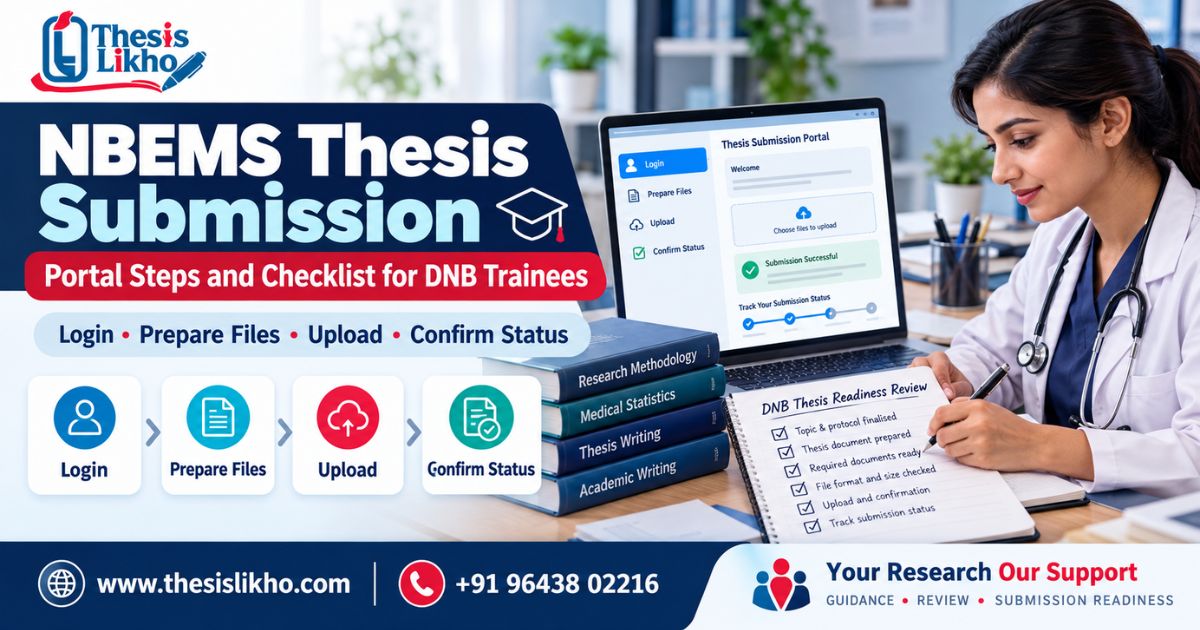
Submitting a completed thesis for DNB is a major achievement – yet another hurdle to cross as you work toward certification.↻ A missing declaration, incorrectly submitted candidate details, an improperly formatted file that fails the portal’s virus scan, or a failed final submission step can leave you scrambling to fix the issue at the eleventh hour.↻
This article is your guide to getting your thesis ready for NBEMS submission, navigating the thesis portal, ensuring correct candidate details, and retaining proof of submission.↻ As NBEMS guidelines and deadlines change with every session, this article serves as a preparatory guide to supplement your official notice and the current guidelines that apply to your program.↻
Quick answer: To prepare for NBEMS thesis submission, first cross-verify the NBEMS guidelines and submission deadline for your program and session.↻ Next finalize the approved thesis, check the required declaration and file specifications, and upload the document to the official thesis portal.↻ Finally go through the final submission step and retain the acknowledgement/reference number and other proof of submission as applicable.↻
Last updated: 28 September 2026↻
NBEMS guidelines and submission deadlines change with every session; this article is not a substitute for the latest official notice.↻
The Official Resources To Review Beforehand↻
Before referring to this guide, consult these official resources:↻
Resource link↻
NBEMS Digital Thesis Processing Portal https://natboard.edu.in/thesisonline/index↻
NBEMS thesis protocol and submission guidelines https://natboard.edu.in/thesisonline/guidelines/Thesis protocol %26 thesis submission guidelines.pdf↻
NBEMS guidelines for thesis writing and submission https://natboard.edu.in/thesisonline/guidelines/GUIDELINES FOR THESIS WRITING %26 SUBMISSION.pdf↻
NBEMS notices https://natboard.edu.in/deptnotice↻
Make sure to refer to the guidelines that apply to your program, batch, and exam session.↻
If in doubt, always cross-verify information with the official NBEMS notice.↻
NBEMS Thesis Submission: The Process at a Glance↻
Stage What to do What to keep↻
Confirm requirements Check the relevant notice, deadline, guidelines, and portal instructions.↻ A copy/printout of the guidelines you followed↻
Finalize the thesis Complete your approved research and have it ratified by your institution.↻ Your research report along with all approvals↻
Check the file Verify the candidate details, declaration, references, and file specifications.↻ A printout or electronic copy of the final upload file↻
Use the portal Login to the official NBEMS thesis portal and fill in all applicable information.↻ A record of the details you submitted↻
Submit and verify Review the uploaded file, complete the final submission step, and check the status.↻ Acknowledgement/reference number or other proof of submission, if any↻
The uploaded file should not be considered proof of submission until you have successfully completed the submission step on the portal.↻
Step 1: Confirm the Instructions for Your Session↻
Before making any changes to the file or submitting it to the NBEMS portal, make sure to review the instructions that apply to your program and session.↻ In particular, look out for:↻
• Your DNB program and specialty↻
• The submission window/due date↻
• Any approvals (protocol, institutional, etc.)↻ that need to be completed beforehand↻
• Thesis guidelines (format, supporting documents, etc.)↻
• File specifications (type, size, upload procedure, etc.)↻
• Procedure for checking the submission status↻
• The official contact method for raising queries↻
Do not rely on a blog post, a printout, or a notice that applies to a different examination session.↻ NBEMS may release revised guidelines or special notices about the submission window for your session.↻
Step 2: Finalize the Research and Thesis↻
A submission-ready thesis refers to the finalized version of the approved research report.↻ Before working on the file format, make sure that the objective, methodology, data collection procedure, results, and conclusion are consistent with each other.↻
For instance, when comparing two groups of patients, the methodology must state how the groups were selected, and the results must include a comparative analysis.↻ A well-polished document will not conceal inconsistencies in the research design.↻
Consult your supervisor and institution to review the thesis in accordance with their guidelines.↻ Some things to look out for are:↻
• Approvals(protocol, institutional, etc.)↻ related to the research↻
• Consistency between the approved protocol and the final research report↻
• Tables, figures, calculations, and units↻
• Patient confidentiality and removal of identifying information↻
• References used in the research report↻
• Edits suggested by the supervisor↻
Make sure the uploaded file does not contain any tracked changes or annotations.↻
Step 3: Run a Pre-Upload Thesis Audit↻
Use this table as a rough guide when reviewing your thesis for submission.↻ The exact documents and specifications will depend on your institution’s and NBEMS’s guidelines.↻
Check What to verify↻
Candidate identity The name, registration details, specialty, and other details provided in the thesis are consistent with those in the portal↻
Thesis title The thesis title is correct and matches the portal information↻
Supervisor/institution The names and details of the supervisor and institution are correct↻
Required pages Certificates, declarations, and other pages specific to your institution are present and correct↻
Research content The objective, methodology, sample size, results, and conclusion are consistent with each other↻
Tables/figures Numbering, titles, values, and text mentions are consistent↻
References All sources are cited and appear on the reference list↻
Final file The file opens successfully and does not contain any formatting issues↻
Upload specifications The file format, size, and other specifications meet the NBEMS requirements↻
Before uploading the file to the portal, open the file you intend to submit and review the first and last pages, the tables and figures. Any signed/approved pages.↻ This helps verify that the file is not corrupt and contains the correct information in the correct order.↻
Step 4: Access the Official NBEMS Thesis Portal↻
Visit the NBEMS thesis portal at https://natboard.edu.in/thesisonline/index, and select the option that applies to your submission (activity).↻ Refer to the guidelines when filling in the application/tutorial video.↻ If you encounter login-related issues, refer to the troubleshooting guide below.↻
NBEMS Thesis Portal Troubleshooting Guide↻
Issue Possible solution↻
Unable to login Check that the credentials (candidate ID, password) are correct↻
Double-check that you are using the correct portal for your application/activity↻
If the issue persists, contact the NBEMS office using the contact details on the official website↻
The login page is not accessible Check that your internet connection is stable↻
Try accessing the portal at a later time or on a different device↻
If the issue persists, contact the NBEMS office using the contact details on the official website↻
Certificate/course details do not match my information Contact the NBEMS office to update your information↻
Step 5: Submit the Thesis for Final Approval↻
Once the thesis file has been verified for internal consistency and meets all requirements, proceed to submit it for final approval.↻ Make sure to do the following:↻
1.↻ Check that the submission window has not expired↻
2.↻ Fill in all the required details (application/tutorial video)↻
3.↻ Review the uploaded thesis file to ensure there are no errors↻
4.↻ Complete the final submission step↻
5.↻ Retain any reference number/acknowledgement and proof of submission, if applicable↻
Once you have received formal confirmation that your thesis has been accepted for submission, retain a printed or digital copy of the following documents for your records:↻
• Acknowledgement/reference number (if applicable)↻
• Proof of submission (if applicable)↻
• Application/tutorial video completion confirmation (if applicable)↻
• Other documents specified by the NBEMS guidelines↻
In conclusion, remember that the uploaded file should not be considered proof of submission until you have successfully completed the submission step on the portal.
Call / WhatsApp: +91 96438 02216
Website: www.thesislikho.com