
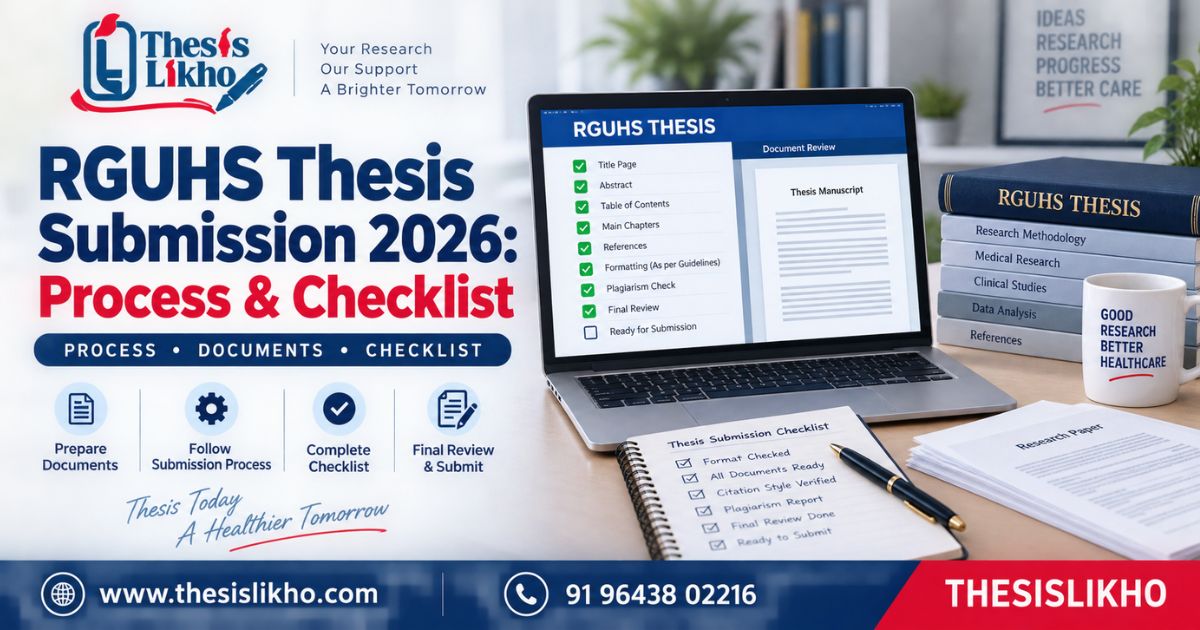
A scholar can finish the research and still be uncertain about RGUHS thesis submission: which notice applies, whether the college must verify the dissertation, what file belongs on the portal and how to confirm the submission went through. Advice from a senior student may refer to a different programme or examination session.
Rajiv Gandhi University of Health Sciences (RGUHS) issues dissertation-related notices for different courses and batches. This guide helps you locate the applicable instructions, check your research and documents, complete the prescribed submission steps and retain proof. It covers a practical workflow for postgraduate dissertations and theses; a PhD scholar must also check the separate research and degree requirements that apply to their registration. Always use your current RGUHS notice and institution’s instructions as the controlling sources.
Quick answer
For RGUHS thesis submission, first identify the official notice for your programme, batch and examination session. Check the approved research against the final dissertation, obtain the required guide and college verification, and prepare files in the format specified by that notice and the live portal. Complete the prescribed upload or forwarding steps, then save the acknowledgement. Requirements differ between programmes.
Table of contents
- What is RGUHS thesis submission?
- Why do submission problems occur?
- How to complete RGUHS thesis submission
- What to check in each thesis section
- Documents and information to keep ready
- Common mistakes and corrections
- Final submission checklist
- When is expert review useful?
- Frequently asked questions
- Conclusion
Quick highlights
ItemWhat to doMain problemApplying instructions from the wrong course, batch or sessionRecommended approachBegin with the relevant official RGUHS notice and confirm the route with your collegeKeep readyRegistration and synopsis details, approved research records, final thesis and documents requested for your programmeMajor risksWrong deadline, inconsistent title, missing verification, incorrect file or no submission proofFinal actionComplete every student and college step that applies; save the acknowledgement
What is RGUHS thesis submission?
RGUHS thesis submission is the process of presenting completed research for the university’s prescribed dissertation or thesis procedure. Depending on the programme, it may involve a student upload, institutional verification, forwarding by the college and other actions specified in the current circular.
The official RGUHS thesis page provides a student upload manual, a college manual, a circular and a declaration format. The RGUHS examination notifications page lists different dissertation notices for courses and examination sessions. These official pages are the starting points; they do not mean that every scholar follows the same sequence.
Keep synopsis approval, completion of the research, submission of the final dissertation and evaluation distinct. A file appearing in your browser’s upload field is not, by itself, proof that all required submission and verification actions are complete.
Why do submission problems occur?
- The wrong circular is followed. A dental notice, for example, should not automatically be applied to a nursing or medical postgraduate dissertation.
- The batch or session is overlooked. A revised notice may change instructions relevant to a specific group.
- The final title differs from approved records. The synopsis, thesis cover, declarations and portal entry may no longer agree.
- Research checks are left until upload day. A data-table error or missing reference can require more work than a file-format fix.
- Student and college actions are confused. A candidate may complete their part without checking whether institutional verification is still pending.
- The wrong file is uploaded. Similar filenames make it easy to select an earlier, unsigned or incomplete draft.
- Proof is not retained. Without the confirmation and submitted version, later status questions are harder to resolve.
Identify the actual cause before resubmitting or changing records. If the uncertainty concerns an official requirement, ask the designated college or university contact.
How to complete RGUHS thesis submission
Use this eight-step workflow together with the current notice and the official student and college manuals.
Step 1: Identify your programme, batch and session
Write down your course, admission batch, examination session and college. Find the matching item on the RGUHS notifications page. Check for a revised circular or later clarification.
Verify: The notice names the group to which you belong.
Risk: A date for another programme can be mistaken for your deadline.
Step 2: Confirm the prescribed route
Read the notice and the instructions linked from the official thesis page. Determine what the student must do, what the college must verify and whether your programme has additional requirements. Ask your department’s designated coordinator to clarify an unclear step.
Verify: You know which actions belong to you and which belong to your institution.
Risk: A student upload may remain incomplete if a required college action is pending.
Step 3: Compare the final thesis with the approved research
Place the approved synopsis or protocol next to the final thesis. Compare the title, objectives, research design, population, methods and any authorised changes. Discuss unexplained differences with your guide before preparing the submission copy.
Verify: The dissertation accurately reports the work approved and carried out.
Risk: Correct formatting cannot resolve an academic inconsistency.
Step 4: Complete guide and institutional review
Give your guide the version intended for submission. Resolve substantive comments and obtain the approvals, signatures or declarations required for your programme. Check that names, registration details and the thesis title are identical across the relevant forms.
Verify: The appropriate people have reviewed the final version.
Risk: A signature on an earlier draft may not validate a later revised file.
Step 5: Prepare the required files
Export files in the formats specified in the current instructions. Open every file after export and inspect the cover, page order, images, tables, references, annexures and signed pages. Use filenames that clearly identify the final approved version.
Verify: Each document is readable and within any limit displayed by the live system.
Risk: A corrupted scan or outdated PDF can interrupt review.
Step 6: Enter details and upload through the official facility
Use the route prescribed for your programme. Enter registration and thesis details exactly as shown in approved records. Attach each document in the correct category. Check any preview or file list before proceeding.
Verify: The displayed details and attached files are correct.
Risk: A file transfer can succeed while the wrong version or category is selected.
Step 7: Check college verification and final status
Follow up on any institutional verification or forwarding step identified in the circular or college manual. Do not assume that completing your screen establishes that all parties have finished theirs. Use the available official status or college confirmation process.
Verify: Every required stage shows completion.
Risk: A pending verification may be mistaken for final submission.
Step 8: Preserve proof and monitor instructions
Save the acknowledgement, receipt or confirmation generated through the prescribed process. Keep the submitted files and relevant official correspondence together. Monitor your registered contact channels for any correction request.
Verify: You can identify what was submitted and when.
Risk: An upload screenshot alone may not show that the final process was completed.
What to check in each thesis section
Topic and synopsis: The title and objectives should match approved records or documented changes. Confirm with your guide how a permitted change must be reported.
Literature review: Check that sources are relevant to the research question and that the review explains the gap rather than simply listing studies. See ThesisLikho’s guide to writing a research gap.
Methodology: Report the actual study design, setting, selection criteria, sample, instruments and ethics procedure. Do not describe a planned method as though it was performed when it was not.
Data analysis: Check the dataset, denominators, table labels and statistical interpretations. Tables in different chapters should use consistent figures.
Results and discussion: Separate observed findings from explanations. Support comparisons with correctly cited literature and acknowledge meaningful limitations.
Citations and references: Verify that every in-text citation corresponds to the right source in the reference list. Check figures, tables and borrowed instruments for attribution.
Formatting and submission: Apply the requirements in the current programme notice and college instructions. For a separate chapter review, see the RGUHS thesis-format guide; use the official circular to settle any conflict.
Documents and information to keep ready
This list is for preparation. Upload only what your applicable RGUHS instructions request.
- Registration and course details: Used to identify your record and the correct circular.
- Examination session and batch: Used to verify the deadline and applicable procedure.
- Approved synopsis or protocol: Used to reconcile the final research with its approved plan.
- Ethics and institutional approvals, where applicable: Used to support the study permissions.
- Supervisor-reviewed final thesis: The document intended for submission and assessment.
- Declarations and certificates requested for your programme: Prepared with the required information and signatures.
- Source and analysis records: Used to verify citations, tables and claims before submission.
- A secure folder for confirmations: Used to retain the acknowledgement and exact submitted files.
Do not upload patient or participant information beyond what your approved study and submission instructions permit. Check that any required anonymisation has been completed.
Common mistakes and corrections
MistakePossible consequenceCorrectionUsing another programme’s deadlineLate or mistimed submissionMatch the circular to course, batch and sessionMissing a revised noticeFollowing superseded instructionsCheck for later RGUHS updatesTitle mismatch across formsVerification queryCompare all records before signatures and uploadUnsupported changes to the studyAcademic queryDiscuss and document the change with your guideWrong or unreadable thesis fileTechnical deficiencyOpen every exported page and identify the final file clearlyIncomplete institutional verificationSubmission remains pendingFollow the college procedure in the current instructionsUnchecked references or figuresAcademic correction requestPerform a source and figure auditNo acknowledgement savedDifficulty confirming completionSave official confirmation and submitted copies
Final submission checklist
- I found the official notice for my programme, batch and examination session.
- I checked for revised notices and college instructions.
- The final title and objectives match the approved research records.
- My guide has reviewed the final version as required.
- Methods, data, tables, results and conclusions are accurate.
- Citations and references match and have been checked.
- The current format, declaration and file requirements are met.
- Every required document is complete and readable.
- Student upload and applicable college verification are complete.
- I saved the acknowledgement and the exact submitted files.
When is expert review useful?
A further academic review may help if the final thesis differs from the approved synopsis, the results do not clearly answer the objectives, references are inconsistent, or your guide has requested substantial chapter corrections. Ask for a defined review with written observations you can discuss with your guide.
ThesisLikho’s thesis support page describes available academic support, while its writing-services overview lists related areas. Outside review does not replace original research, institutional approval or the scholar’s responsibility for submission.
Frequently asked questions
Where should I begin RGUHS thesis submission?
Begin by finding the current RGUHS notice for your course, batch and examination session. The university’s examination-notifications page lists programme-specific circulars, while its official thesis page links to upload guidance. Read the matching notice and confirm with your college which student and institutional steps apply before preparing files or entering details.
Is the RGUHS thesis submission deadline the same for every programme?
No universal date should be assumed. RGUHS publishes separate dissertation-related notices for different programmes and sessions, and a revised circular may change an earlier instruction. A date quoted in a blog or shared by another student is a prompt to check the official notice, not a substitute for it. Record the document and date you relied on.
Does uploading the thesis complete the RGUHS submission?
That depends on the procedure applicable to your programme. The official RGUHS thesis page provides separate student and college manuals, so check whether a college verification or forwarding action is also required. Inspect the status after upload and save the official acknowledgement or confirmation. A screenshot showing a selected file is not necessarily proof of a completed submission.
What documents are required for thesis submission at RGUHS?
The list depends on the course and current circular. Keep the approved research records, final guide-reviewed thesis, registration information and applicable approvals available, then follow the exact document categories and declarations requested in your process. Do not use another programme’s checklist as an upload instruction. Confirm uncertain items with the designated college contact.
What should I do if the RGUHS thesis portal is not working?
Record the page, error message and time. Check that you used the official route specified by the current notice and that your file meets the displayed requirements. Use the official support or college contact process for a persistent problem. Keep records of the issue and response; do not send login credentials or sensitive research data to an unrelated third party.
Is an RGUHS acknowledgement the same as thesis approval?
No. An acknowledgement records a submission or processing action, while academic evaluation and approval occur through the applicable later process. Save the acknowledgement and monitor official communication for any queries or corrections. Describe your status accurately: “submitted” should not be changed to “accepted” until the university confirms acceptance.
Conclusion
A reliable RGUHS thesis submission starts with the right programme notice. Verify the final research against approved records, prepare the required files, complete the student and institutional steps that apply, and retain official confirmation. Recheck the latest RGUHS circular before acting because procedures and dates can differ.
For an independent review of your dissertation structure, references, data presentation or final-file readiness, send ThesisLikho a WhatsApp enquiry describing the specific issue. Academic-integrity note: The scholar remains responsible for authentic research, required approvals, accurate reporting and final submission. ThesisLikho is an independent support service, not RGUHS.